Operating Instructions
25
THE OVEN DISPLAY
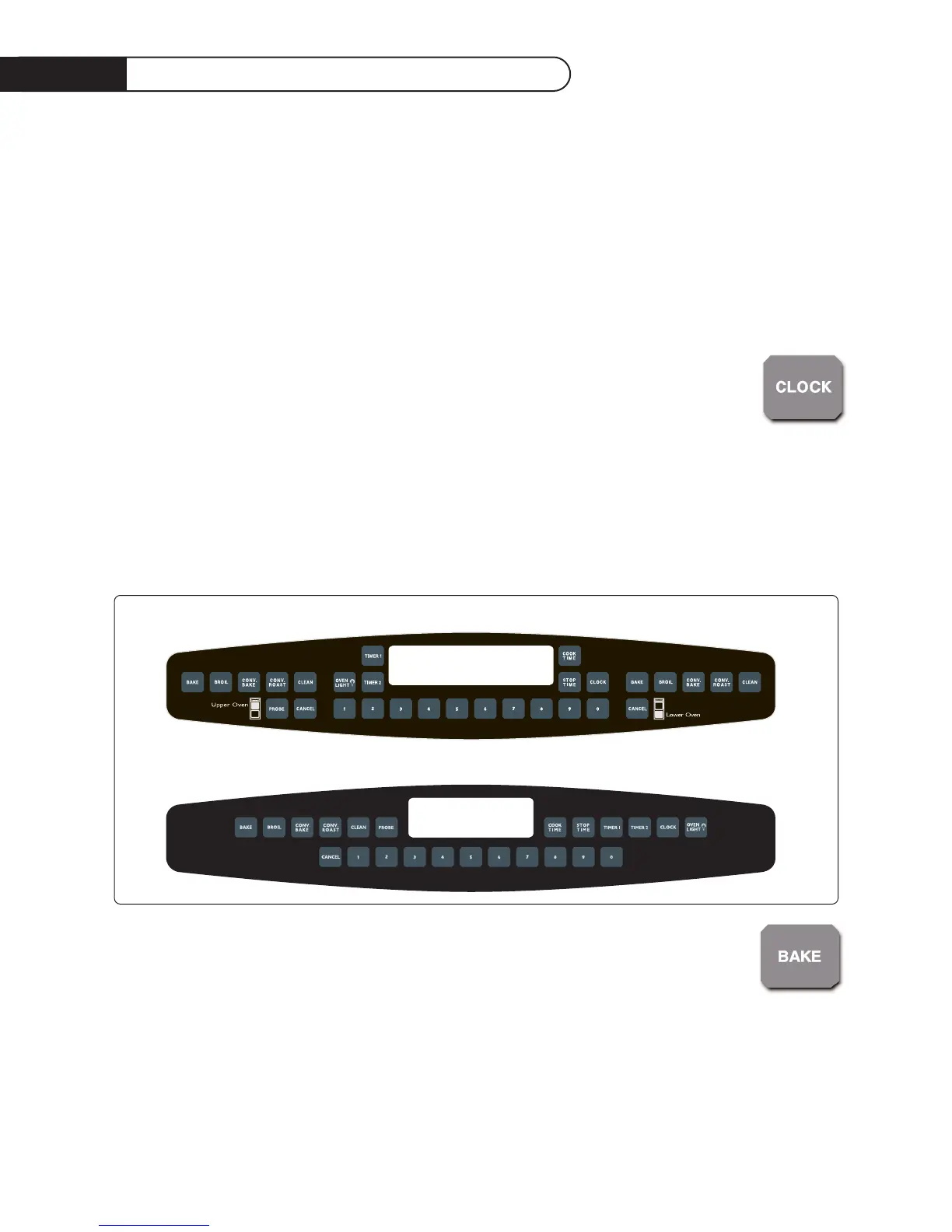
• The clock digits and functions are on the left side of the oven display and are in blue.
• The upper oven temperature digits and heating functions are in the middle of the display and are
in red (on double ovens).
• The lower oven temperature digits and heating functions are on the right side of the oven
display and are in red.
• If you enter incorrect or incomplete information the oven will prompt you with Err in the clock
digits and several rapid beeps.
TO SET THE CLOCK
1) Press Clock. The display will show time. Enter the correct time of day by pressing the
number keys.
2) About 5 seconds after the last number is entered, the new time will be set, or you may
enter it immediately by pressing clock again.
NOTE: The clock cannot be set when the oven is in a timed mode (timed bake, timed convection
bake, timed convection roast, or clean). After a power outage the clock will blink with the time
when power was lost. All cooking modes will be cancelled.
USING THE BAKE MODE
Standard bake mode uses the bake and broil heating elements.
1) Press upper or lower bake function key. Press the number keys to set a bake
temperature from 100
0
to 550
0
F.
2) BAKE, PREHEAT AND ON will be displayed until it reaches the set temperature. When it reaches
its set temperature, it will chime once and the words on and preheat will go out. The oven is now
ready to cook. The word ON will be displayed whenever the oven requires more heat to stay at it’s
set temperature.
12:35
12:35
Double Wall Oven Control Panel
Single Wall Oven Control Panel


 To Next Page