Component Acces s
35
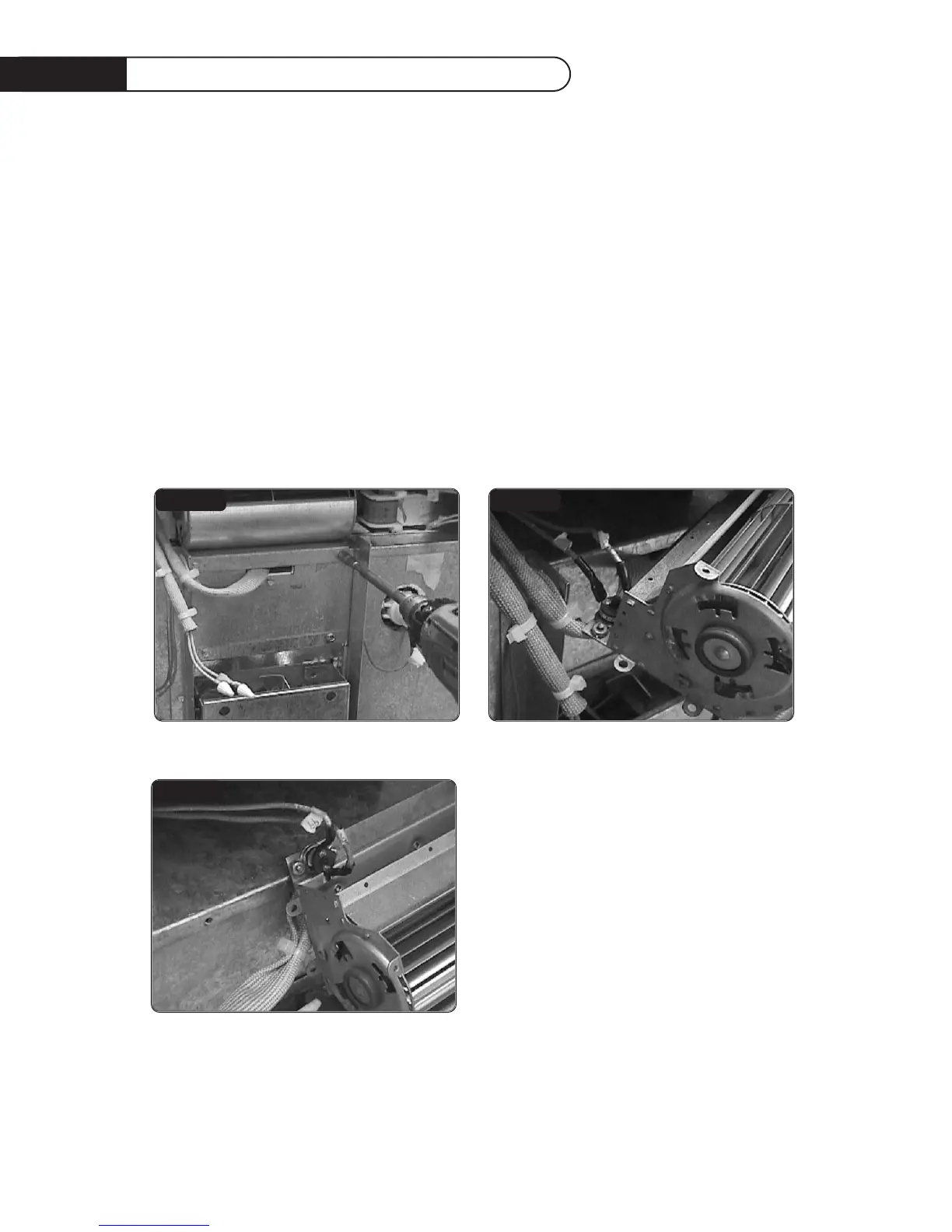
BLOWER MOTOR AND BLOWER THERMOSTAT REMOVAL
STEP 1
With a 5/16” socket remove the two (2) screws securing the blower motor assembly to the oven
(fig.22). Pull the blower assembly towards you, then disconnect wires from motor.
STEP 2
Carefully remove blower thermostat from blower motor assembly (fig.12). The blower thermostat is
secured in place by two (2) nuts. Blower motor and / or blower thermostat can now be replace.
FIG.10
FIG.11
FIG.12


 To Next Page