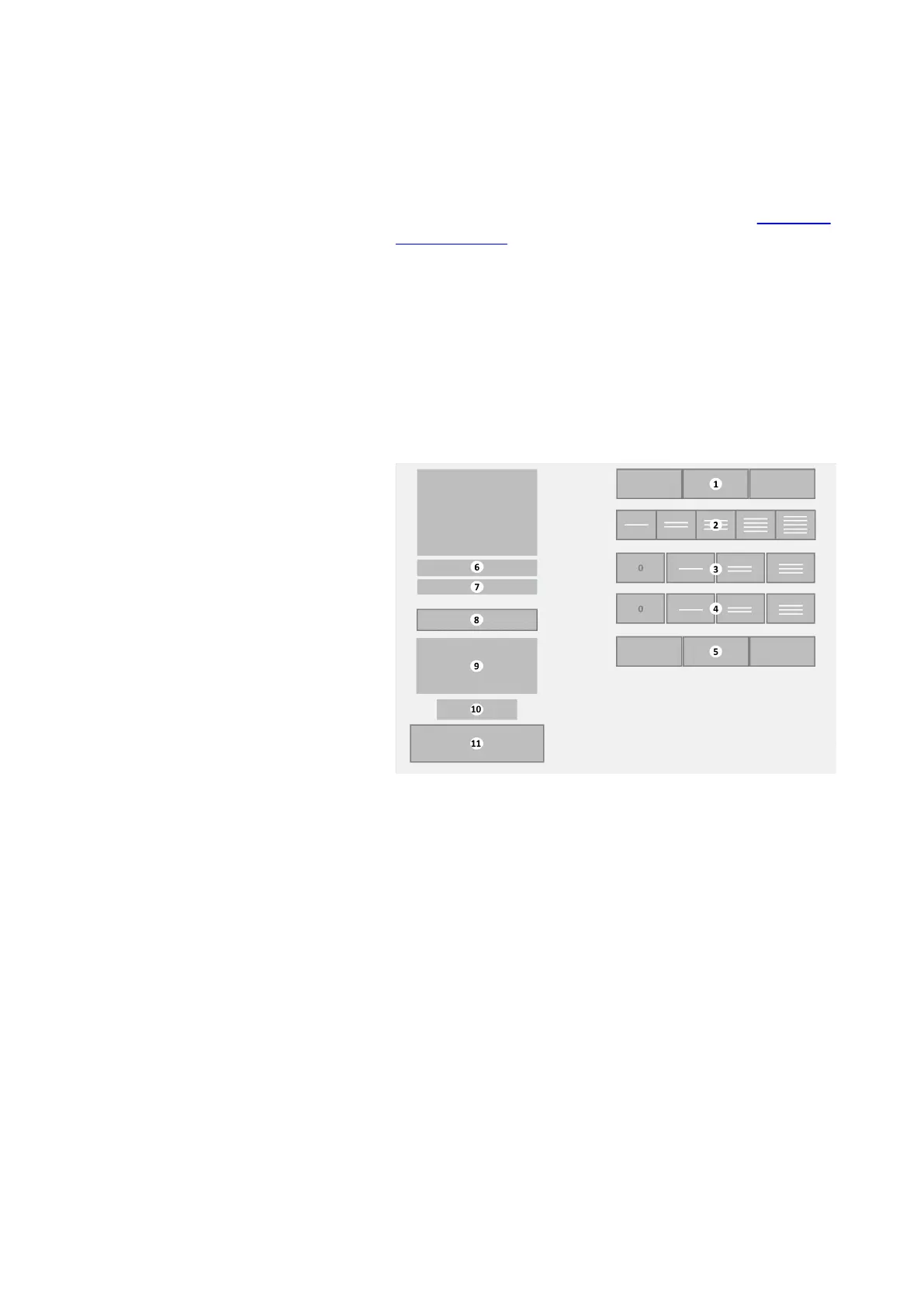
3.2.1 Additional options submenu
The Additional options submenu is displayed after a beverage
selection (cup or jug) is made on the Main menu (see
Main menu
- Cup dispensing on page 21).
• This submenu is not available if the (selected beverage on
the) coffee machine is configured for direct dispense only.
•
The options shown in the submenu depend on the selected
beverage, some beverages will have no options at all.
•
If a jug dispense is selected, the [Start] and [Cancel] buttons
are available. If canister selection is possible this button bar
is displayed.
Additional options submenu
1. [Canister selection] button bar —
optional
2. [Strength] button bar — optional
3. [Add-on] button bar — optional
4. [2
nd
Add-on] button bar — optional
5. [Cup size] button bar — optional
6. Price for this beverage — optional
7. Currently selected beverage
8. [Cancel] button
9. Message area
10. Credit amount — optional
11. [Start] button
Depending on the configuration additional options are displayed
in the submenu. The following options are possible:
• Canister selection bar: to select an ingredient from a different
canister after initial selection. For example, when coffee is
selected, it is then possible to select the type of coffee from
different canisters. The current selection is highlighted.
Depending on configuration and availability of ingredients, a
two or three options bar is shown. Tap the desired canister.
•
Strength selection bar: to adjust the amount of coffee
ingredient. The default strength is the middle button. The
selected strength will be highlighted.
23
Virtu CEC Medium Cabinet 70/90 CoEx® brewer User Manual 5DUCEK20M EN V2.1












 To Next Page