Delem
V0413, 7
In the upper right corner of the screen, the number of the cur-
rently active program is shown.
In this screen, a product program can be edited and executed.
Programming of products will be explained in chapter 4.
3.4 Tool Selection
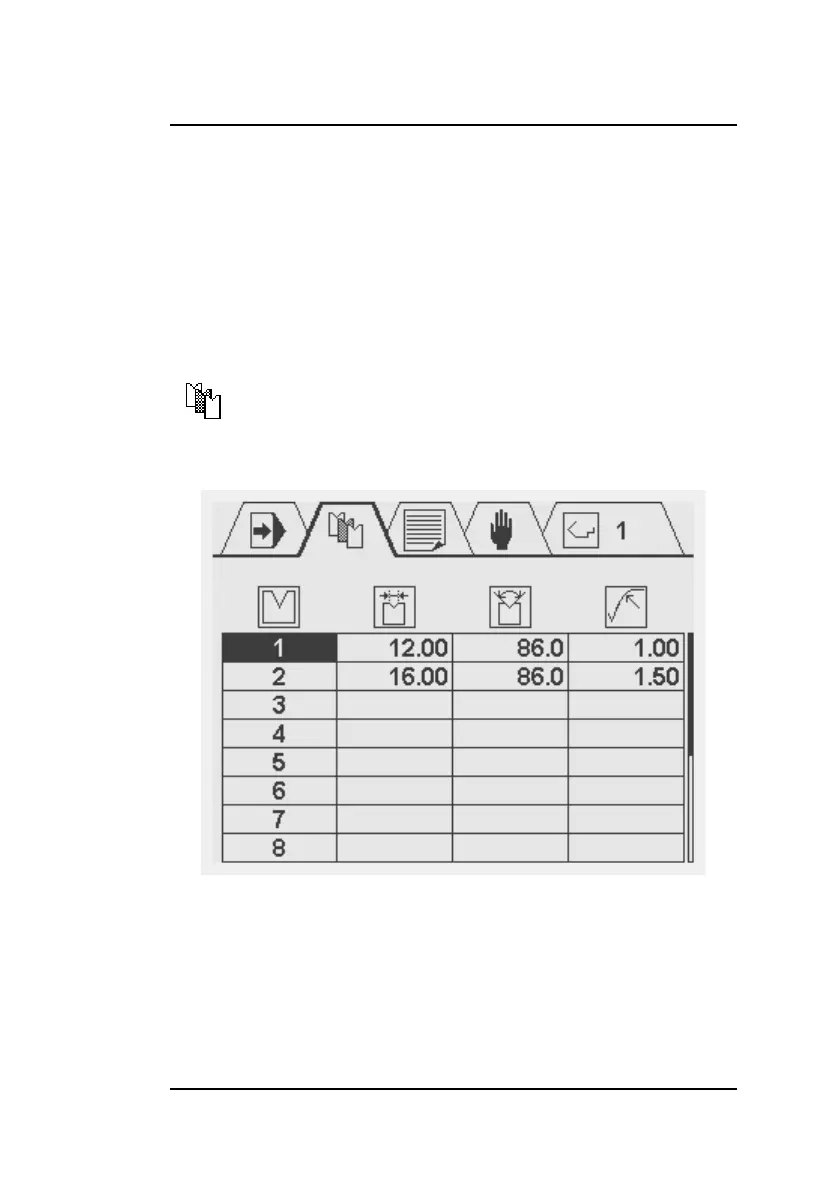
This screen displays an overview of the available tools. The
table indicates the tool number, the V-opening, the tool angle
and radius. During product programming, the programmed tool
properties are used for the calculation of Y-axis values. To enter
the tool properties place the cursor on the applicable field of a
tool and simply enter the desired value.
Select this symbol in the menu bar for tool
selection and programming.



 To Next Page