Delem
V0413, 3
2. Hardware
2.1 Front panel
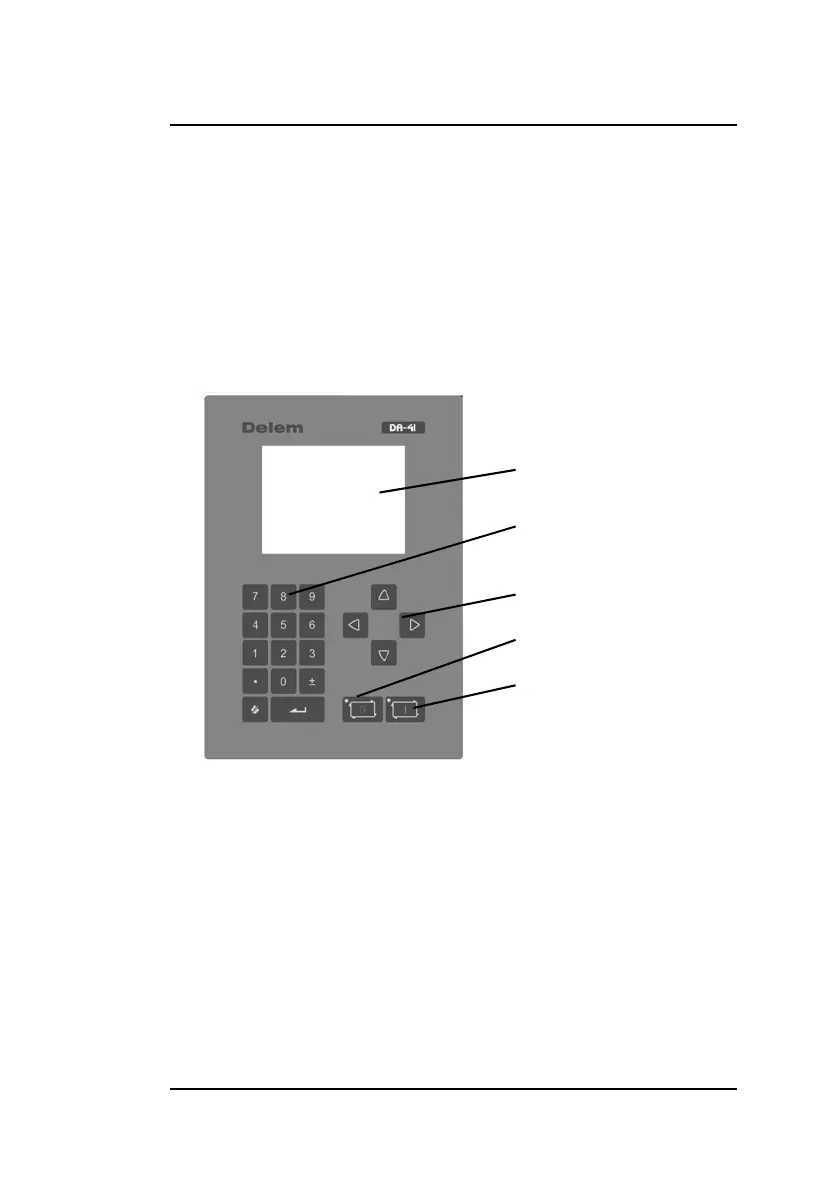
The following picture shows a representation of the front panel.
The panel contains one display and several keys for program-
ming and axis control. The display will be explained in the next
section.
The keyboard contains the following keys:
• 10 numerical keys (0 - 9)
• decimal point
• plus/minus toggle
• clear key, to clear a parameter value
• enter key, to enter a typed value
• arrow keys, to select various parameters
• stop key (0) (incl. status LED)
• start key (1) (incl. status LED)
display
num. keys
arrow keys
Stop
Start



 To Next Page