76 Installing Printer Drivers on Computers Running Windows
WPS-PIN
NOTE: WPS-PIN (Wi-Fi Protected Setup-Personal Identification Number) is a
method to authenticate and register devices required for wireless configuration, by
entering PIN assignments to a printer and computer. This setting, performed
through access point, is available only when the access points of your wireless
router supports WPS.
1
Select
WPS-PIN
, and then click
Next
.
2
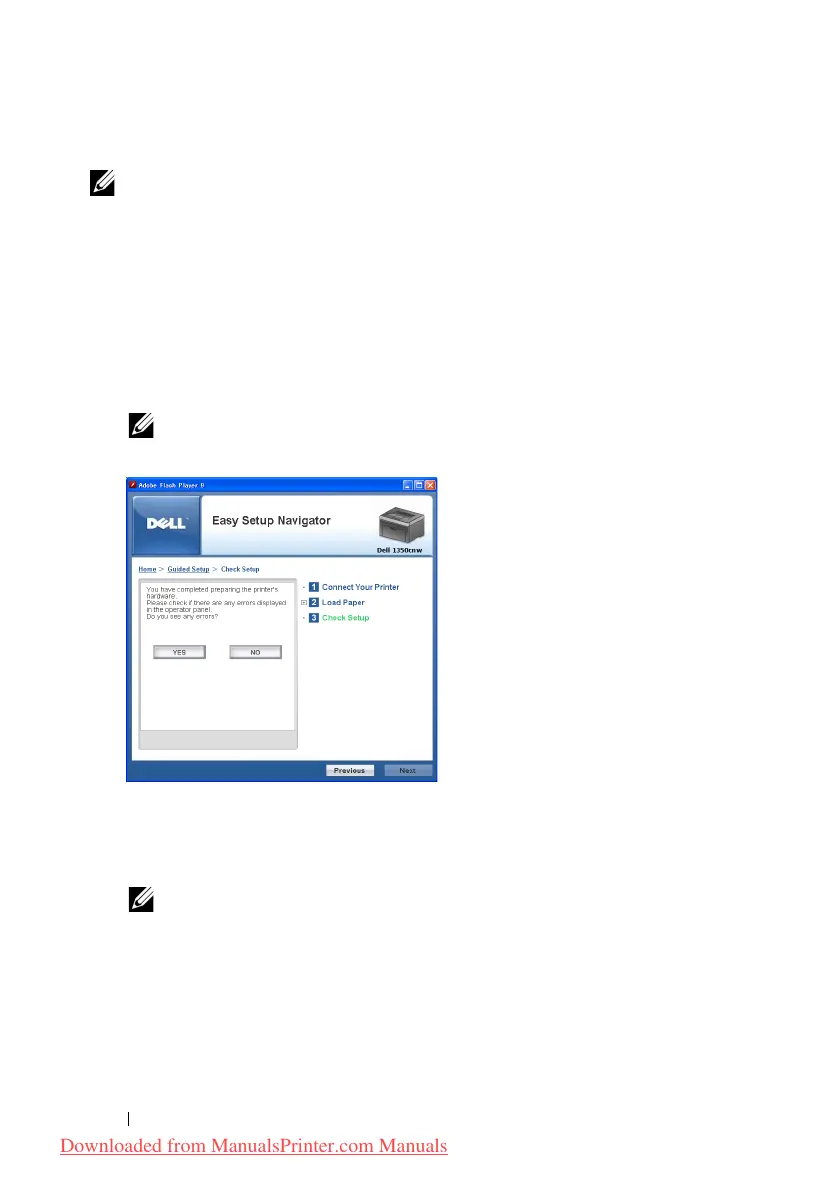
Follow the instructions until
Check Setup
screen appears.
3
Confirm there are no errors displayed on the operator panel, and then click
NO
on the
Check Setup
screen.
NOTE: If you see any errors, click YES and follow the instruction.
4
Select
Local Installation
, and then click
Next
.
5
Check if the printer to be installed is listed in the
Select Printer
, and then
click
Next
.
NOTE: If the printer to be installed is not listed in the Select Printer, try the
following steps:
• Click Refresh to update the information.
• Click Add Printer, and then enter the details of the printer manually.
6
Configure the required items on the
Enter Printer Settings
screen, and
then click
Next
.
Downloaded from ManualsPrinter.com Manuals












 To Next Page