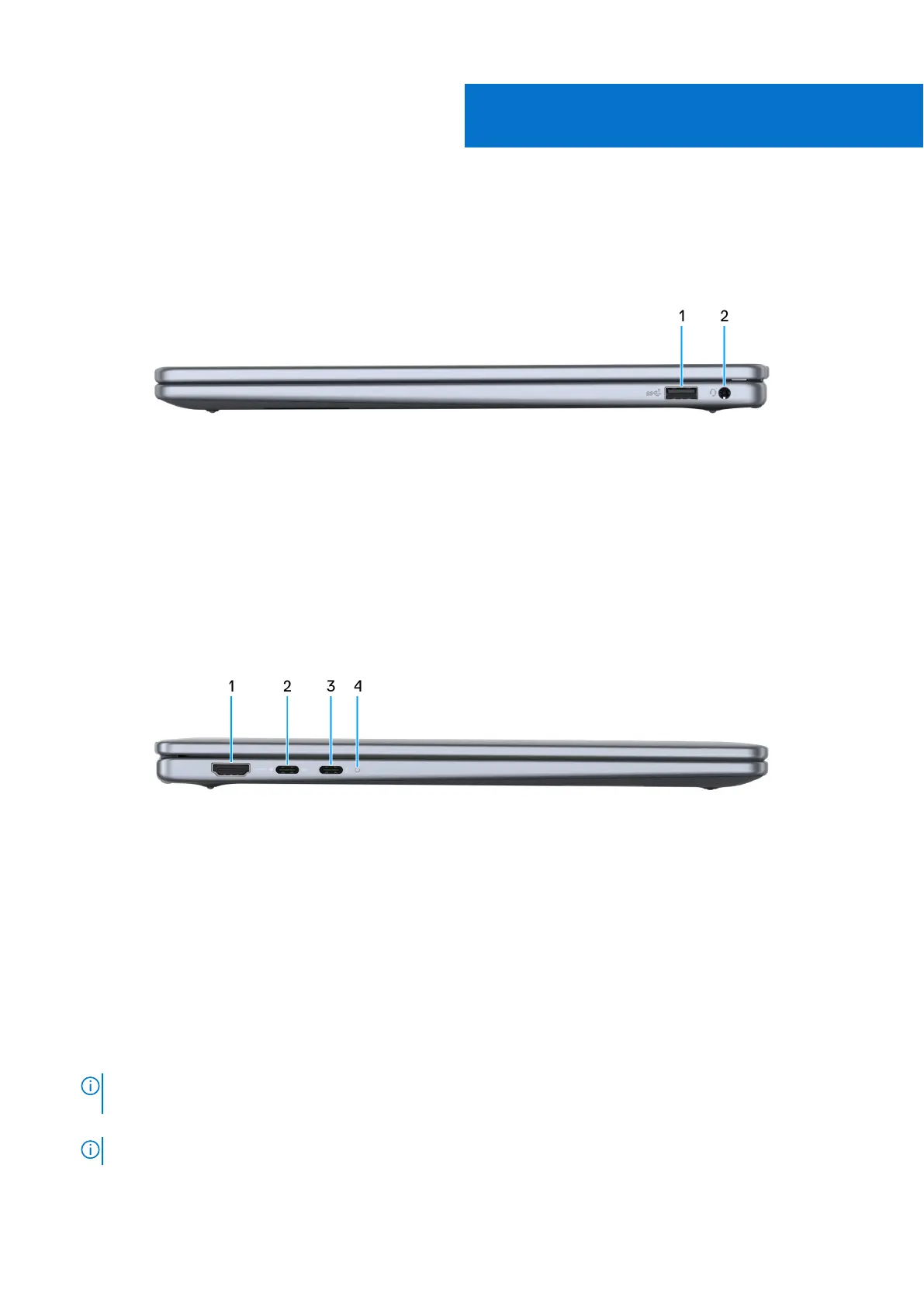
Views of Dell 14 Plus DB14250
Right
Figure 1. Right view
1. USB 3.2 Gen 1 (5 Gbps) port
Connect a device such as an external storage device or a printer. Provides a data transfer speed of up to 5 Gbps.
2. Global headset jack
Connect headphones or a headset (headphone and microphone combo).
Left
Figure 2. Left view
1. HDMI 2.1
Connect to a TV, external display, or another HDMI-in enabled device. Provides video and audio output.
2. USB 3.2 Gen 2 Type-C port with DisplayPort 1.4 and Power Delivery
Connect a peripheral such as an external storage device, a printer, or an external display. Provides a data transfer rate of up
to 10 Gbps.
Supports DisplayPort and also enables you to connect to an external display using a display adapter.
3. Thunderbolt 4 port with DisplayPort 2.1 and Power Delivery
Supports DisplayPort 2.1 and Thunderbolt 4; enables you to connect to an external display using a display adapter (sold
separately). Provides a data transfer rate of up to 40 Gbps for Thunderbolt 4.
NOTE:
You can connect a Dell Docking Station to the Thunderbolt 4 ports. For more information, search in the
Knowledge Base Resource at Dell Support Site.
NOTE: A USB Type-C to DisplayPort adapter (sold separately) is required to connect a DisplayPort device.
1
6 Views of Dell 14 Plus DB14250










 To Next Page