About this task
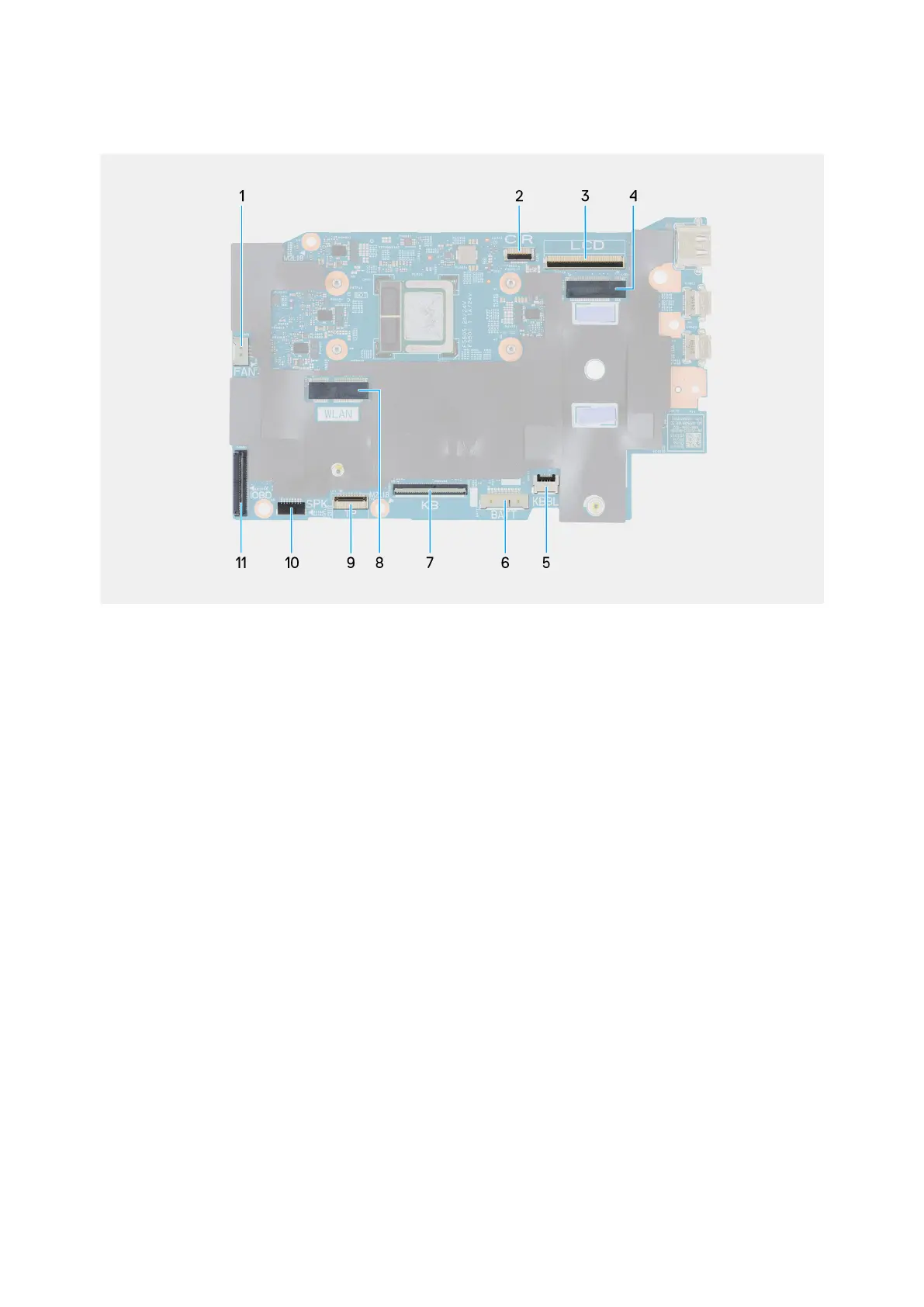
The following image indicates the connectors and M.2 card slot on your system board.
Figure 38. System board callouts
1. Fan cable connector (FAN)
2. Infrared camera cable connector (CIR)
3. Display-assembly cable connector (LCD)
4. M.2 solid state drive slot
5. Keyboard-backlight cable connector (KBBL)
6. Battery cable connector (BATT)
7. Keyboard cable connector (KB)
8. M.2 wireless-card slot (WLAN)
9. Touchpad cable connector (TP)
10. Speaker cables connector (SPK)
11. I/O board-cable connector (IOBD)
The following images indicate the location of the system board and provide a visual representation of the removal procedure.
Removing and installing Field Replaceable Units (FRUs)
63










 To Next Page