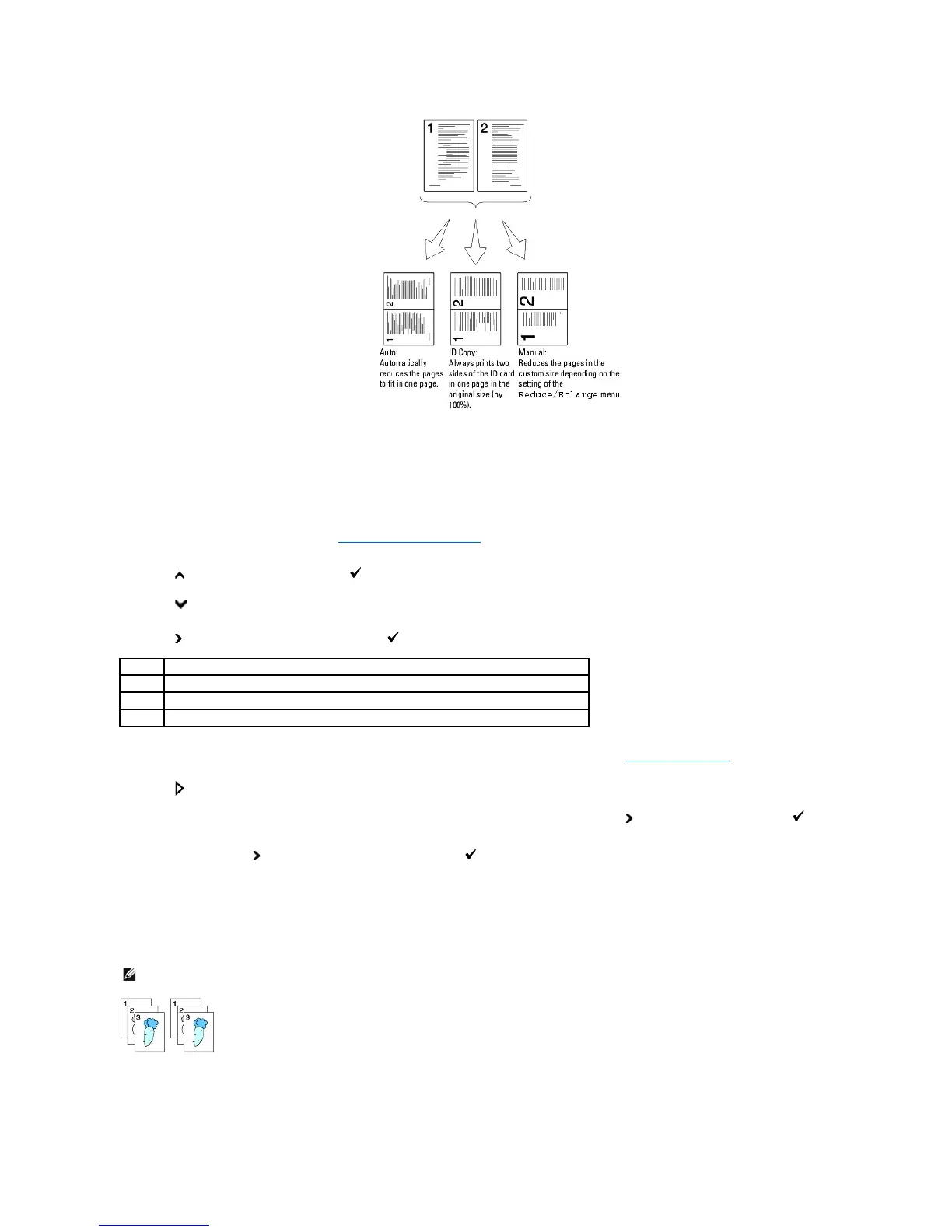
To make use of the Multiple-Up copying:
1. Load the document(s) face up with top edge in first into the ADF.
OR
Place a single document face down on the document glass.
For details about loading a document, see "Loading an Original Document".
2. Press until >COPY appears, and then press .
3. Press until Multiple-Up appears.
4. Press to select the desired setting, and then press .
5. If necessary, customize the copy settings including the number of copies, contrast, and image quality. See "Setting Copy Options".
6. Press to begin copying.
For the document loaded on the document glass, the display asks if you want to load another page. Press to select Yes or No, and then press .
7. If you select Yes, press to select Continue or Cancel, and then press .
Collated
Sorts the copy job. For example, if you make two copies of three page documents, one complete three page document will print followed by the second
complete document.
1. Load the document(s) face up with top edge in first into the ADF.
OR















 To Next Page