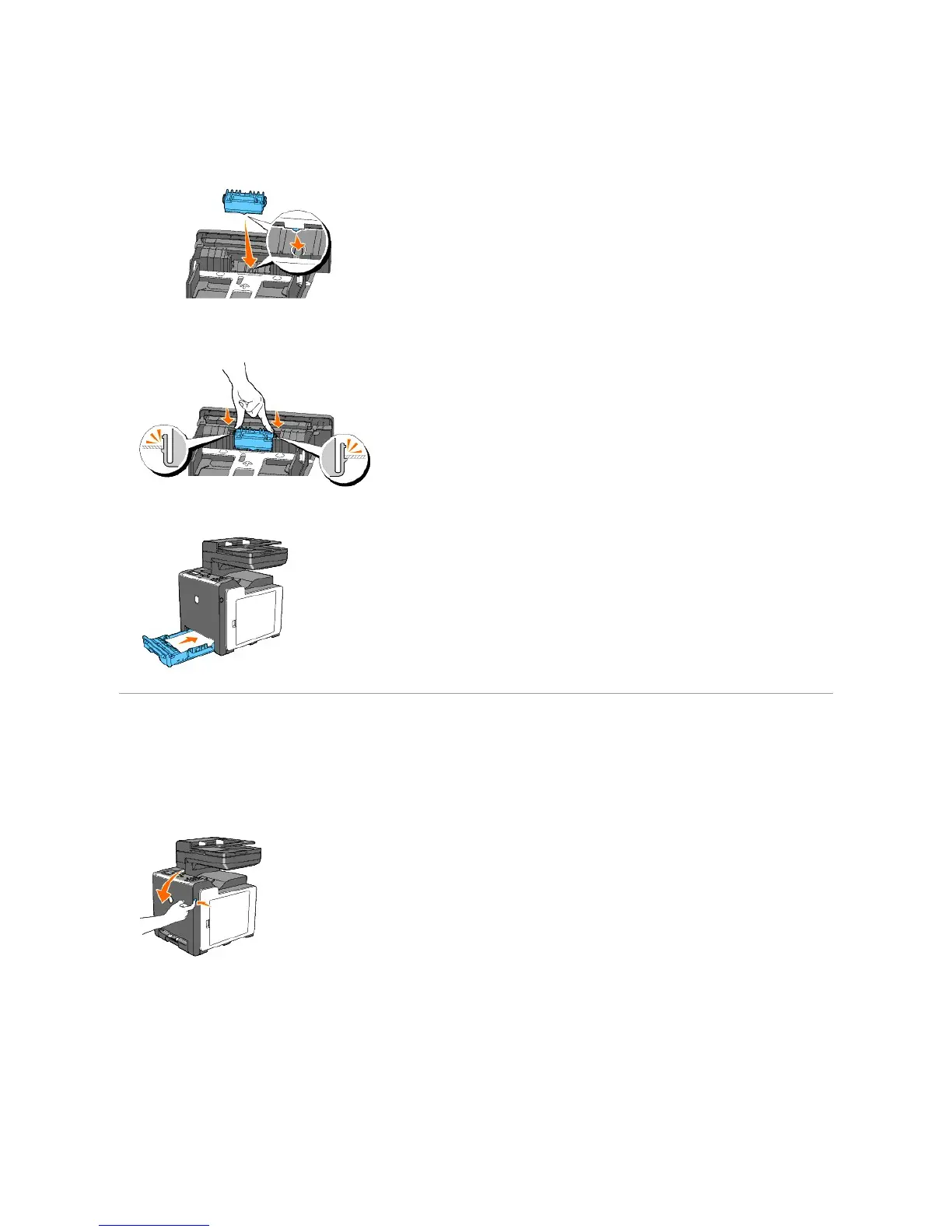
Installing the New Retard Roller in the Tray 1
1. Align the new retard roller to the groove on the axle.
2. Insert the retard roller into the axle till it snaps fit so the protrusions fit completely into the slots and the roller hook reseats into the groove on the axle.
3. Load paper and place it in the printer.
Cleaning the Feed Roller Inside the Printer
Clean the feed roller inside the printer if print media does not feed correctly.
1. Ensure that the printer is turned off.
2. Push the side button and open the front cover.
3. Turn the four PHD lock levers counterclockwise, and then pull the PHD unit out of the printer.















 To Next Page