Steps
1. Place the computer on its side with the left side facing up.
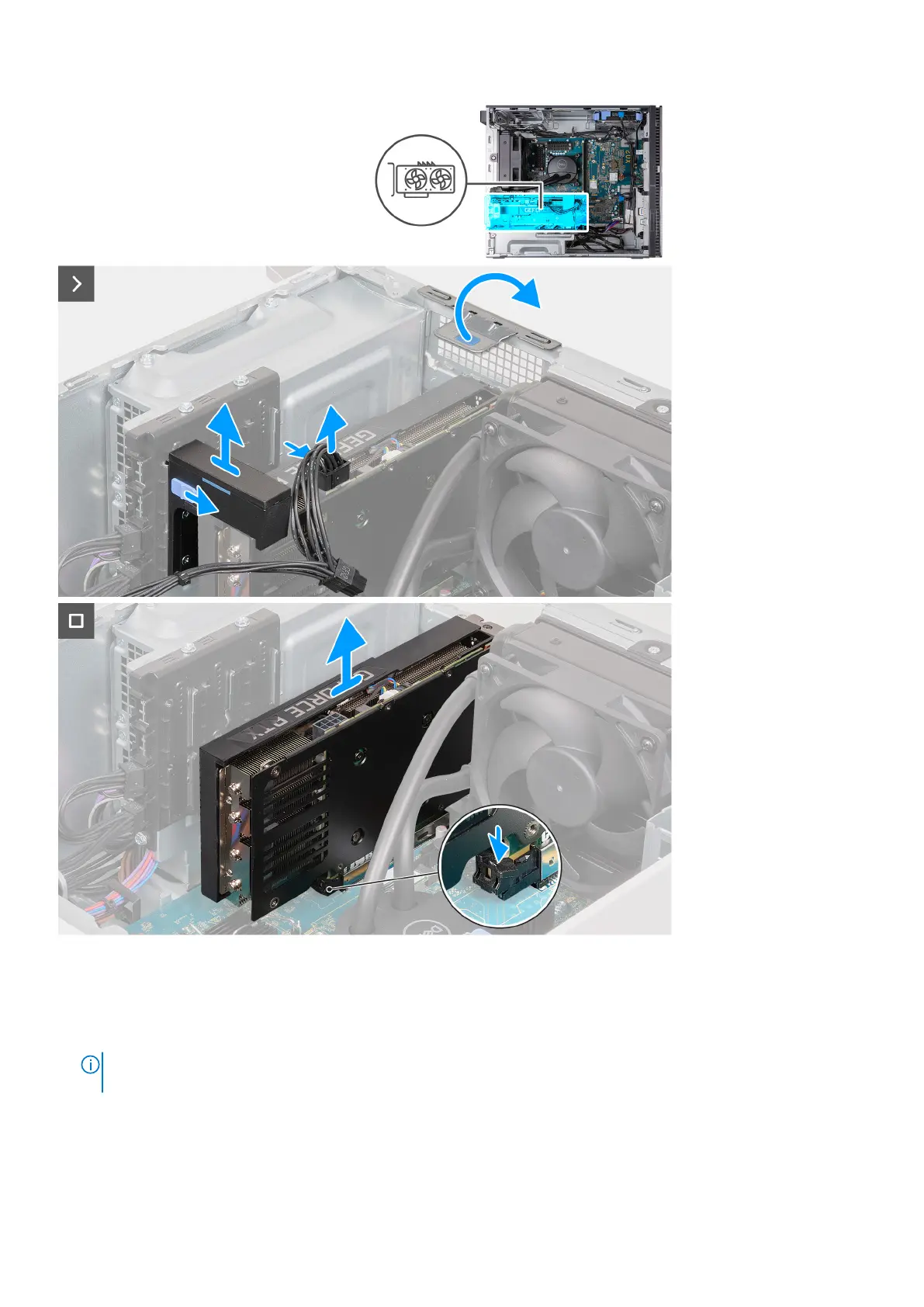
2. Press and hold the securing clip on the graphics card power cable, then pull the connector off the graphics card.
3. Slide and hold the locking mechanism on the graphics card support bracket, then pull it off the retaining rails on the chassis.
NOTE:
The size and location of the graphic-card middle holder may vary depending on the graphics card configuration
on your computer.
4. Using the tab, lift and open the PCIe door.
5. While pressing down on the tab at the end of the graphics card slot, lift the graphics card off the system board.
24
Removing and installing components















 To Next Page