Steps
1. Place the computer on its side with the left side facing up.
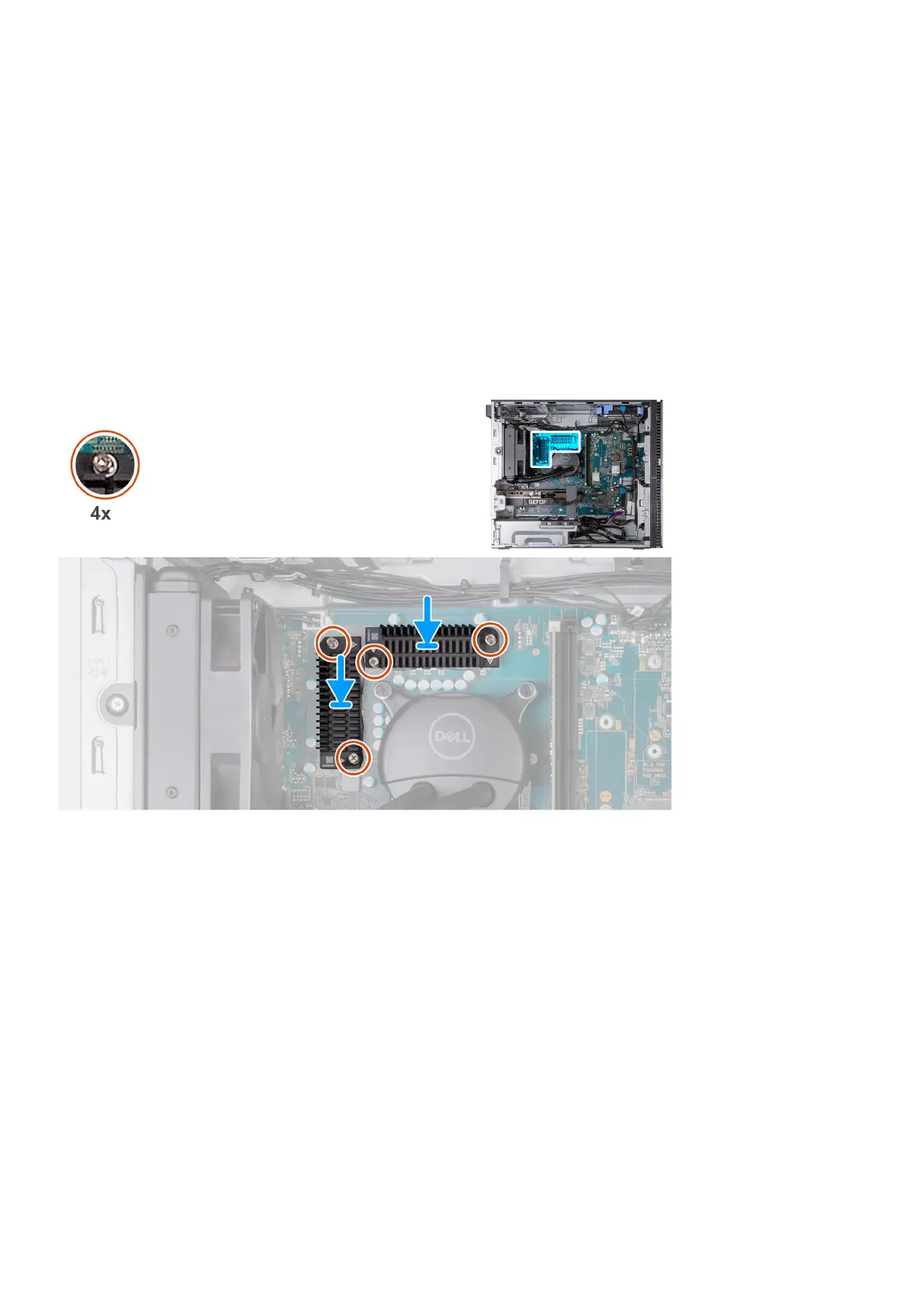
2. Remove the four captive screws that secure the voltage-regulator heat sink to the system board.
3. Lift the voltage-regulator heat sink off the system board.
Installing the voltage-regulator heat sink
Prerequisites
If you are replacing a component, remove the existing component before performing the installation process.
About this task
The following image(s) indicate the location of the voltage-regulator heat sink and provides a visual representation of the
installation procedure.
Steps
1. Place the voltage-regulator heat sink on the system board.
2. Align the captive screws on the voltage-regulator heat sink to the screw holes on the system board.
3. Tighten the four captive screws that secure the voltage-regulator heat stink to the system board.
4. Place the computer in an upright position.
Next steps
1. Install the processor fan and heat-sink assembly (125 W, air cooling), if applicable.
2. Install the left-side cover.
3. Follow the procedure in After working inside your computer.
Removing and installing components
53















 To Next Page