CAUTION: To prevent damage to the memory module, hold the memory module by the edges. Do not touch
the components on the memory module.
NOTE: Repeat step 2 to step 3 to remove any other memory modules installed in your computer.
NOTE: Note the slot and the orientation of the memory module in order to replace it in the correct slot.
NOTE: If the memory module is difficult to remove, gently ease the memory module back and forth to remove it from
the slot.
Installing the memory modules
Prerequisites
If you are replacing a component, remove the existing component before performing the installation process.
About this task
NOTE: Up to two memory modules may be installed into this computer.
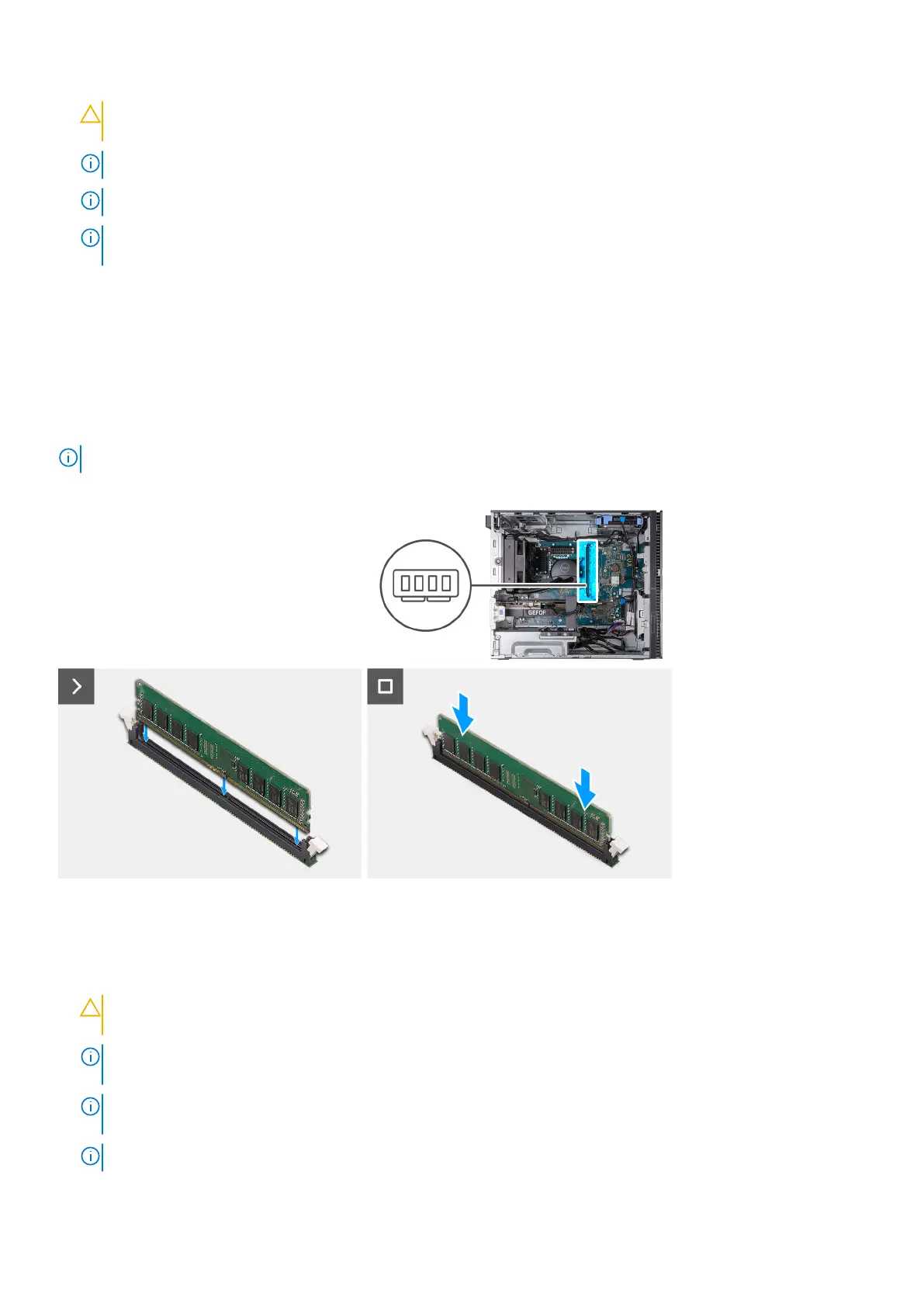
The following image(s) indicate the location of the memory and provides a visual representation of the installation procedure.
Steps
1. Align the notch on the memory module with the tab on the memory-module slot.
2. Insert the memory module into the memory-module connector.
3. Press down on the memory module until the memory module snaps into position and the securing clip locks in place.
CAUTION:
To prevent damage to the memory module, hold the memory module by the edges. Do not touch
the components on the memory module.
NOTE: The securing clips return to the locked position. If you do not hear the click, remove the memory module and
reinstall it.
NOTE: If the memory module is difficult to remove, gently ease the memory module back and forth to remove it from
the slot.
NOTE: Repeat steps 1 to 3 for each memory module being installed into your computer.
Removing and installing components 27















 To Next Page