Steps
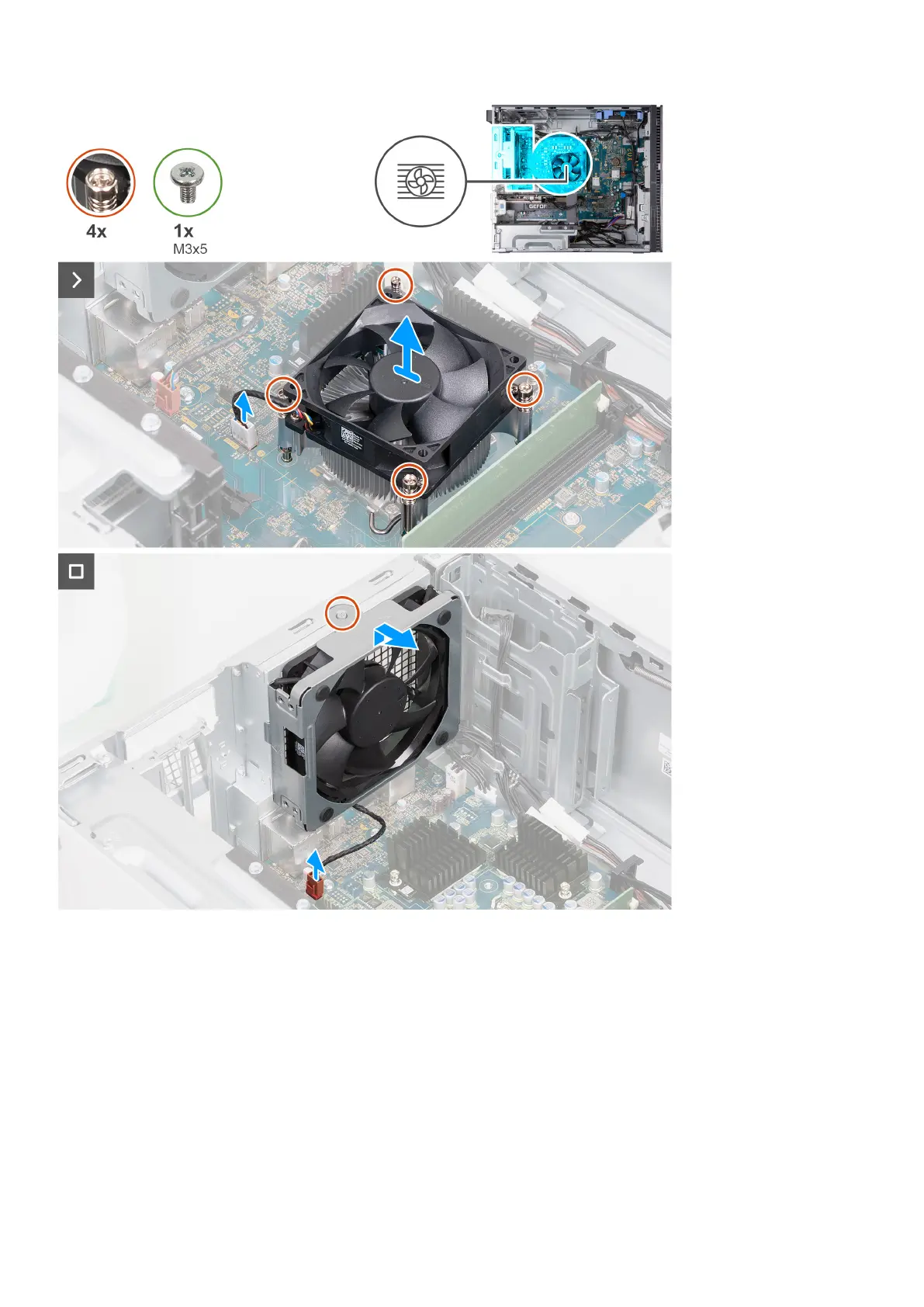
1. Place the computer on its side with the left side facing up.
2. In sequential order (1>2>3>4), loosen the four captive screws that secure the processor fan and heat sink assembly to the
system board.
3. Disconnect the processor-fan cable from the system board.
4. Lift the processor fan and heat-sink assembly from the system board.
5. Disconnect the back-chassis fan cable from the system board.
6. Slide the back-chassis fan off the alignment posts and lift the back-chassis fan off the chassis.
Removing and installing components
43















 To Next Page