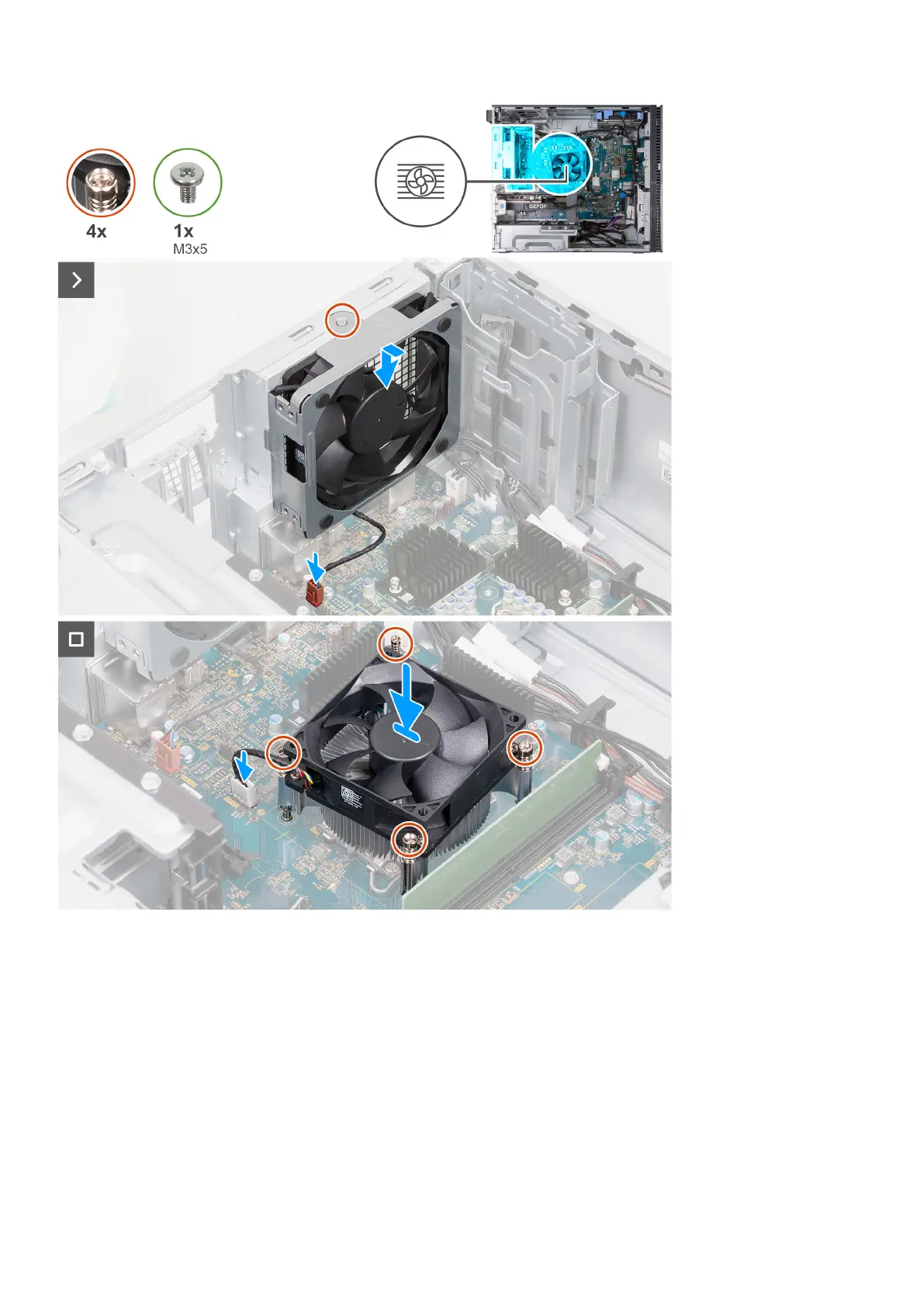
Steps
1. Thread the alignment posts on the chassis through the rubber grommets on the back-chassis fan.
2. Connect the back-chassis fan cable to the system board.
3. Place the processor fan and heat-sink assembly on the system board and align the captive screws to the screw holes on the
system board.
4. In reverse sequential order (4>3>2>1), tighten the four captive screws that secure the heat stink to the system board.
5. Connect the processor-fan cable to the system board.
6. Place the computer in an upright position.
Next steps
1. Install the left-side cover.
2. Follow the procedure in After working inside your computer.
Removing and installing components
45















 To Next Page