38 Operating your monitor
Icon Menu and submenus Description
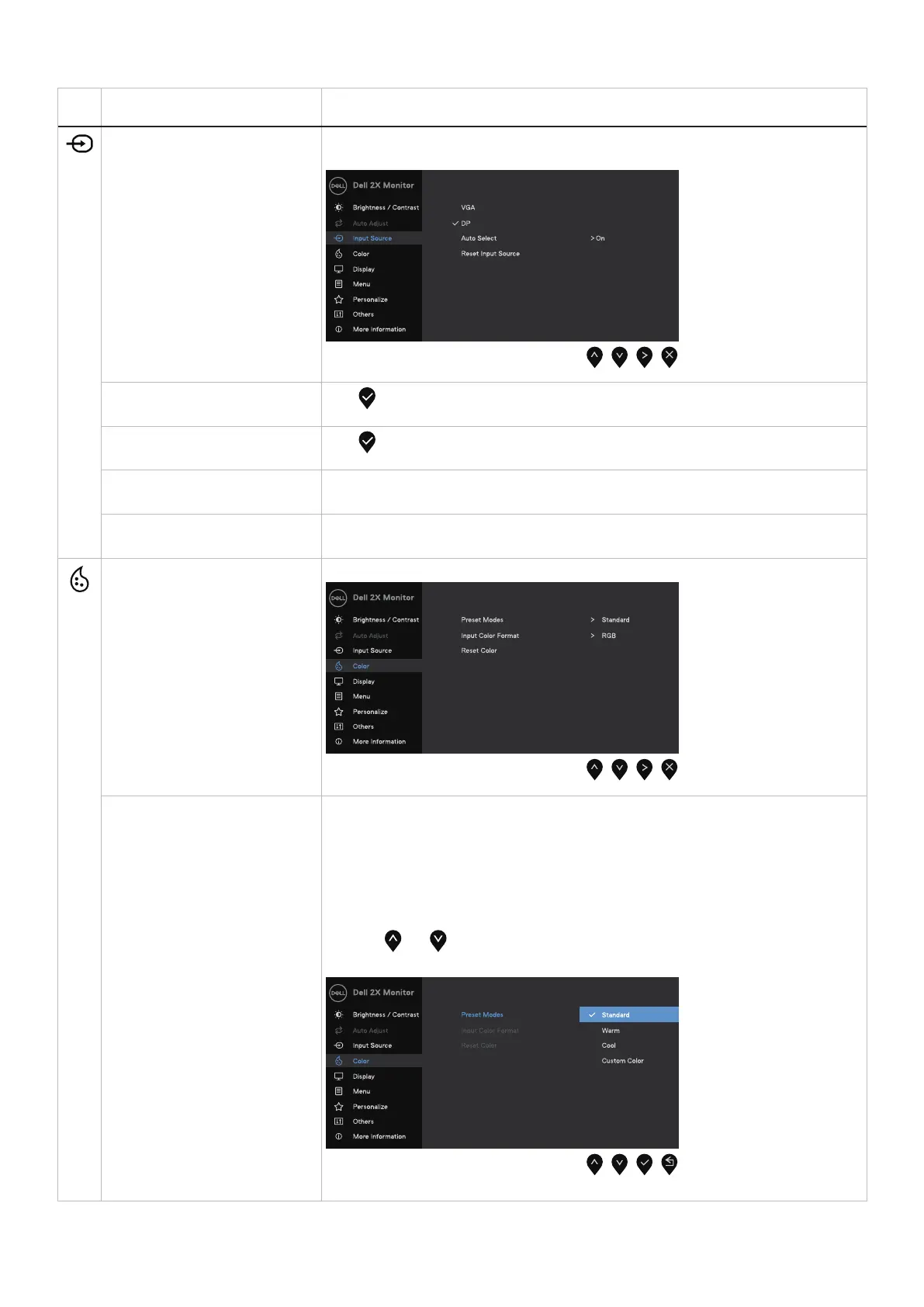
Input Source Use the Input Source menu to switch between the different video signals that may be
connected to your monitor.
VGA
Push to select the VGA input source when using VGA connector.
DP
Push to select the DP input source when using DP connector.
Auto Select Select Auto Select to scan for available input signals.
Reset Input Source Select this option to restore default input source.
Color Use color to adjust the color setting mode.
Preset Modes Allows you to choose from a list of preset color modes.
• Standard: Load the monitor's default color settings. This is the default preset mode.
• Warm: Increase the color temperature. The screen appears warmer with a red/yellow
tint.
• Cool: Decrease the color temperature. The screen appears cooler with a blue tint.
• Custom Color: Allows you to manually adjust the color settings.
Press the and buttons to adjust the three colors (R, G, B) values and create your
own preset color mode.



 To Next Page