Installing display panel
Steps
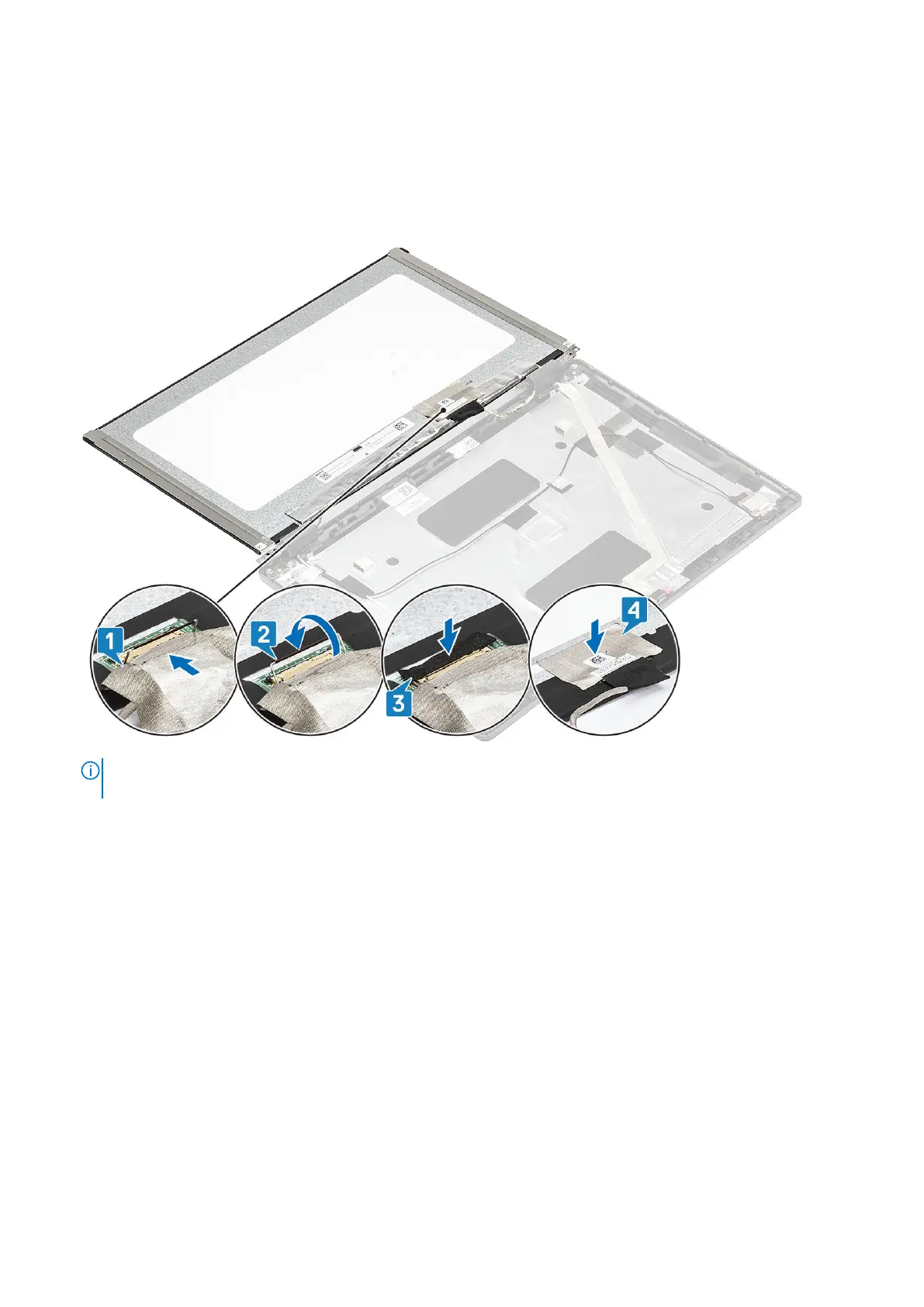
1. Connect the display cable to the connector and close the latch [1, 2].
2. Adhere the adhesive strip to secure the display cable connector [3].
3. Adhere the conductive tape to secure the display cable connector [4].
4.
NOTE:
LCD Panel comes with two (L+R) brackets that needs to toe-in first, then secure two screws located at the
base of the LCD panel.
Replace the two (M2.5x3) screws that secure the display panel to the display assembly.
Disassembly and reassembly
103













 To Next Page