Steps
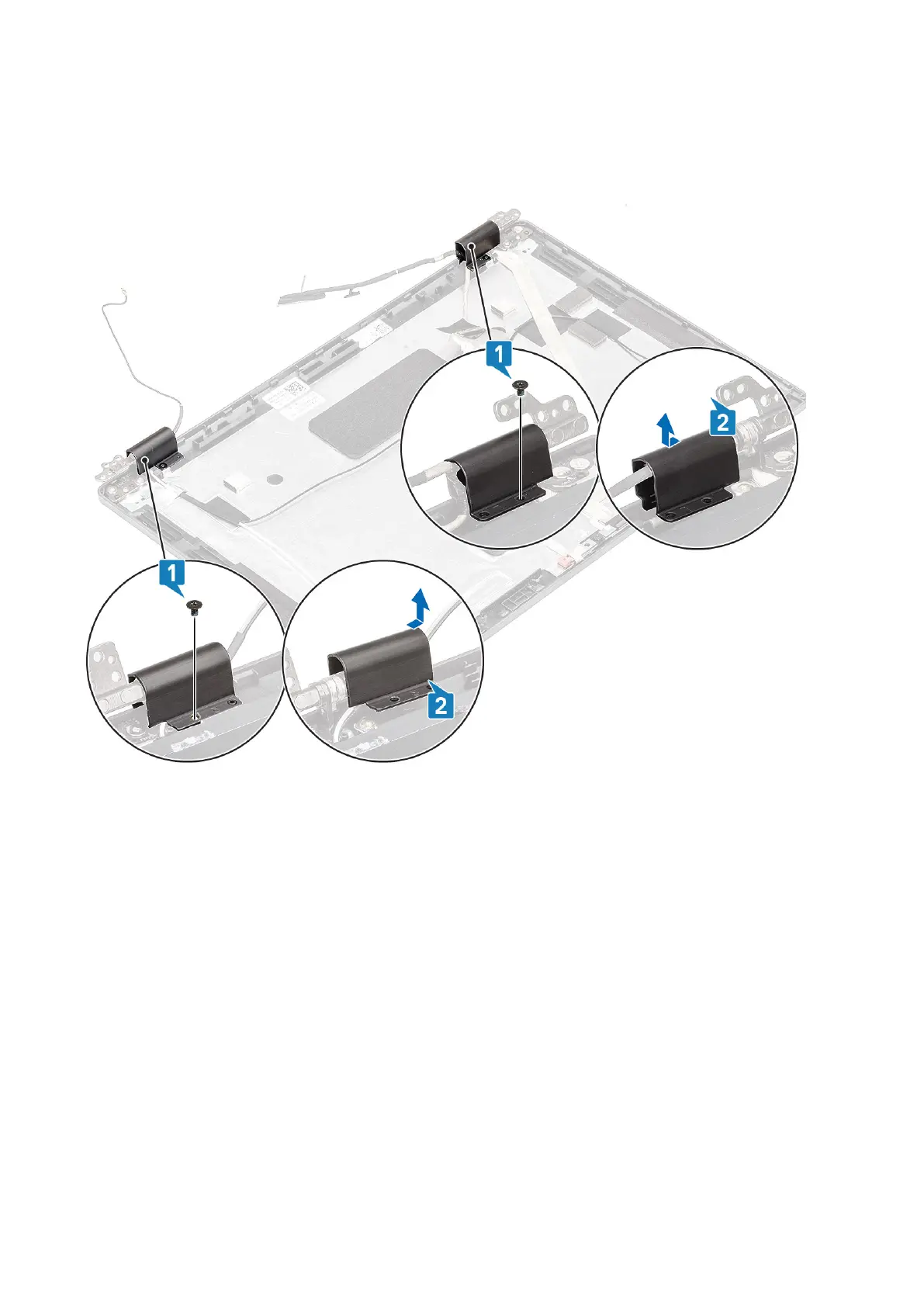
1. Remove the two (M2x3) screws that secure the hinge caps to the chassis [1].
2. Pinch the hinge caps to release the hinge caps from the ribs on the display back cover then slide inwards to remove the
hinge caps from the display hinge [2].
Installing hinge caps
Steps
1. Place the hinge caps and slide outward on the display hinges [1].
2. Replace the two (M2x3) screws to secure the hinge caps to the display hinge.
Disassembly and reassembly
107













 To Next Page