4. Remove the battery.
5. Remove the speaker.
6. Remove the memory module.
7. Remove the DC-in .
8. Remove the WLAN card.
9. Remove the system board.
NOTE: System board can be removed with heatsink assembly attached.
10. Remove the coin cell battery.
Steps
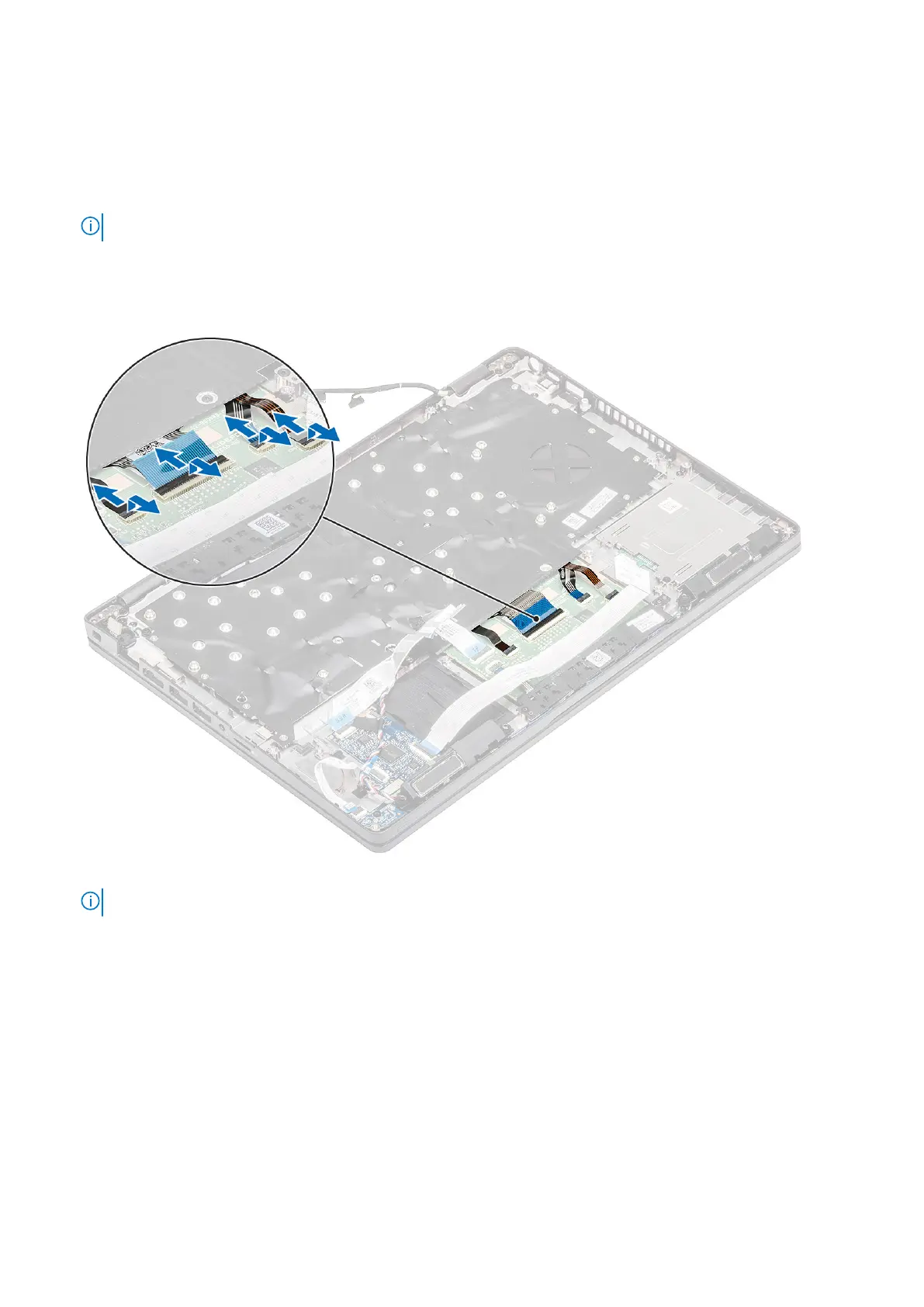
1. Lift the latch and disconnect the backlit cable and the keyboard cables from the connectors on the touchpad.
2. Remove the 18 (M2x2.5) screws that secure the keyboard to the palmrest [1].
3.
NOTE: The touchpad FFC covers one of the screws that secure the keyboard assembly to the palmrest.
Remove the keyboard away from the computer [2].
Disassembly and reassembly
83













 To Next Page