Steps
1.
NOTE: Display bezel cannot be reused after being removed.
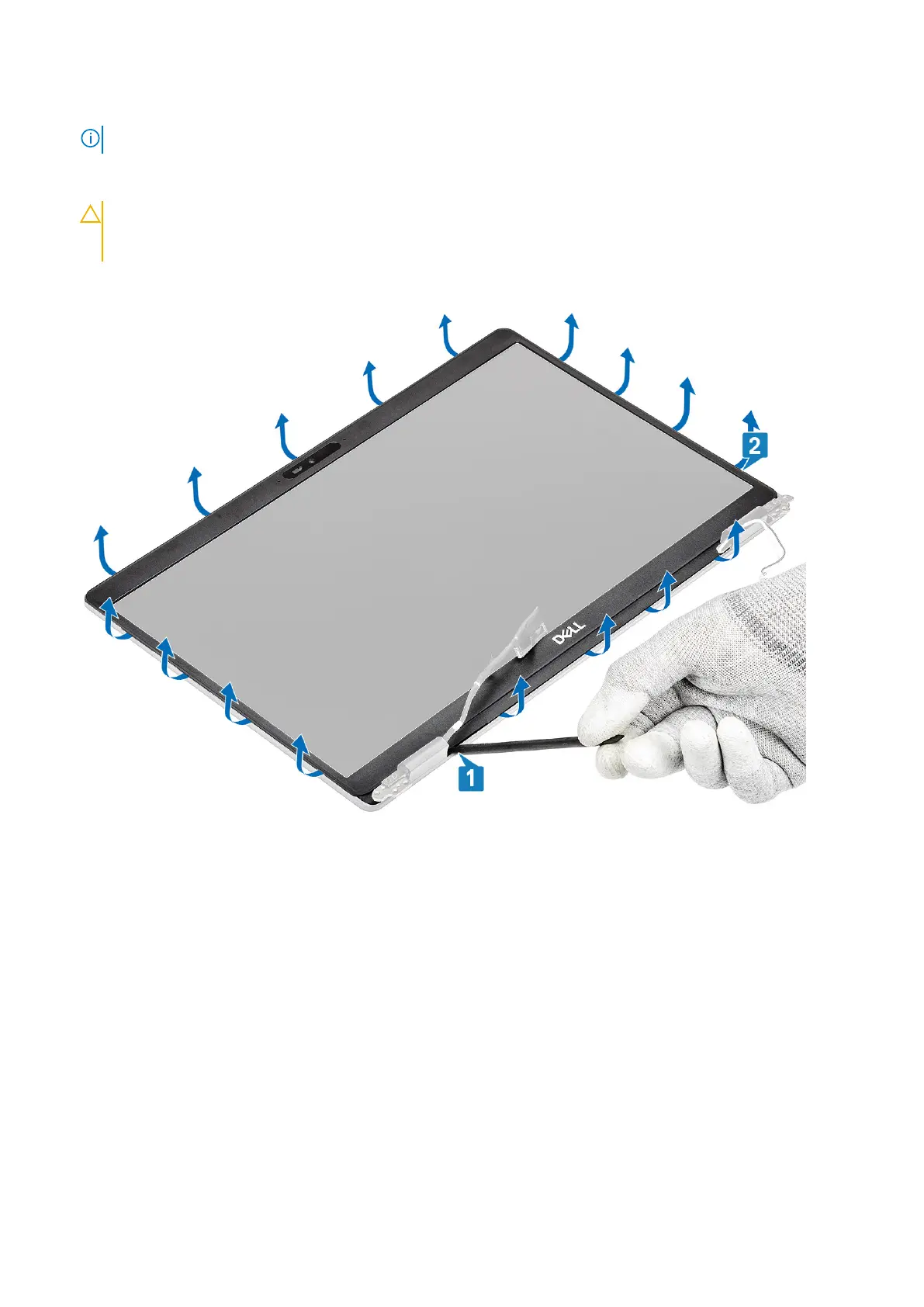
Use a plastic scribe to carefully pry open the recesses near the left and right hinges on the bottom edge of the display bezel
[1].
2.
CAUTION: When prying open the display bezel, ensure to pry along the outside edge of the display bezel
using your hands or plastic scribes—using a screw driver or other sharp objects may damage the display
panel.
Carefully pry open the inside edge of the display bezel and then pry open the inside edge of the left and right sides of the
display bezel [2].
3. Lift the display bezel from the display assembly.
Disassembly and reassembly
97













 To Next Page