Steps
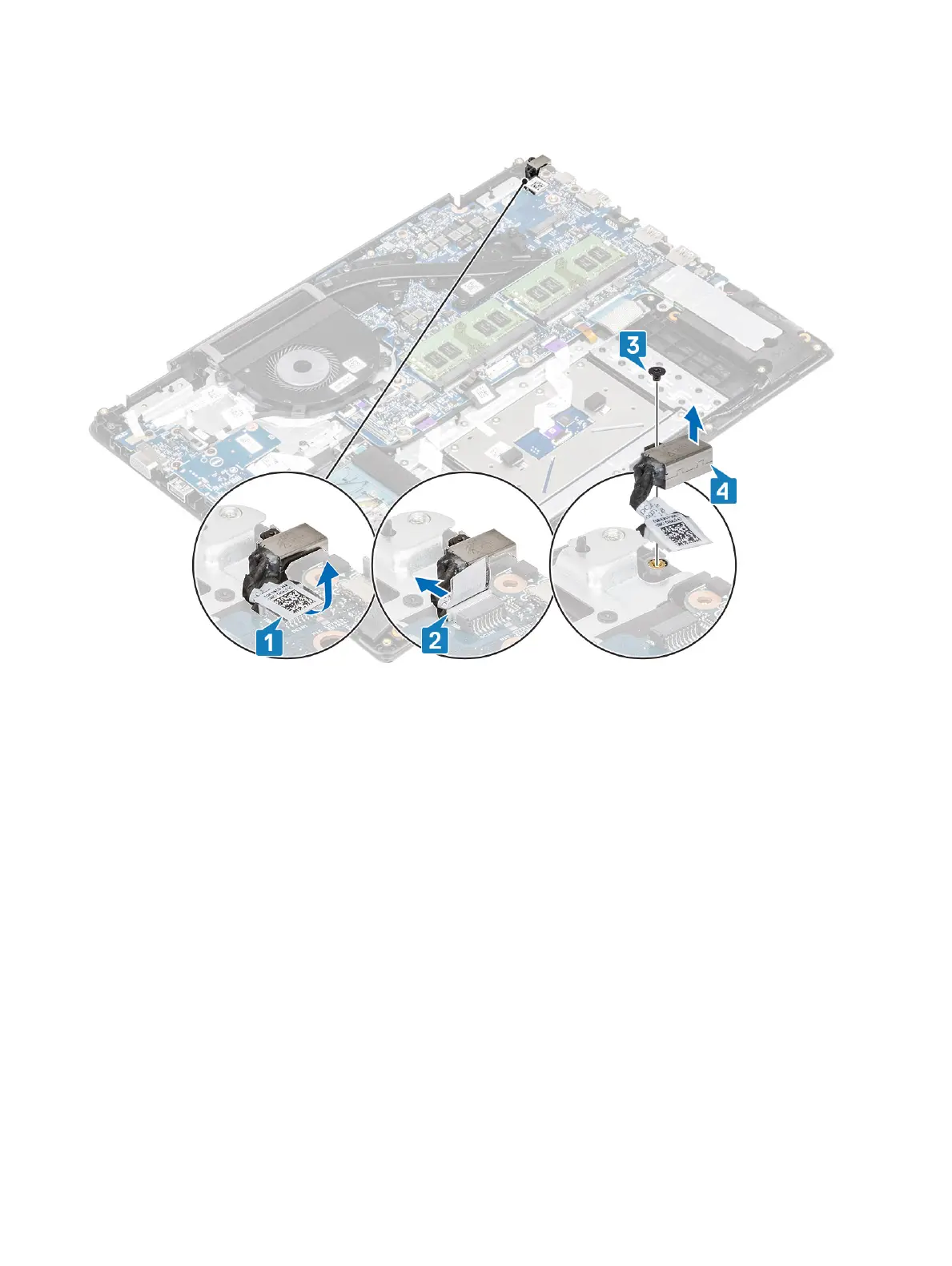
1 Disconnect and route the power adapter cable from the system board [1, 2].
2 Remove the single (M2x3) screw that secures the power adapter port to the palmrest and keyboard assembly [3].
3 Lift the power adapter port, along with its cable, o the palmrest and keyboard assembly [4].
Installing the power adapter port
Steps
1 Place the power adapter port into the slot on the palmrest and keyboard assembly [1].
2 Replace the single (M2x3) screw that secures the power adapter port to the palmrest and keyboard assembly [2].
3 Connect the power adapter cable to the system board [3, 4].
Removing and installing components
101


 To Next Page
 Loading...