Next steps
1 Replace the battery
2 Replace the base cover
3 Replace the SD memory card
4 Follow the procedure in after working inside your computer
Heat sink
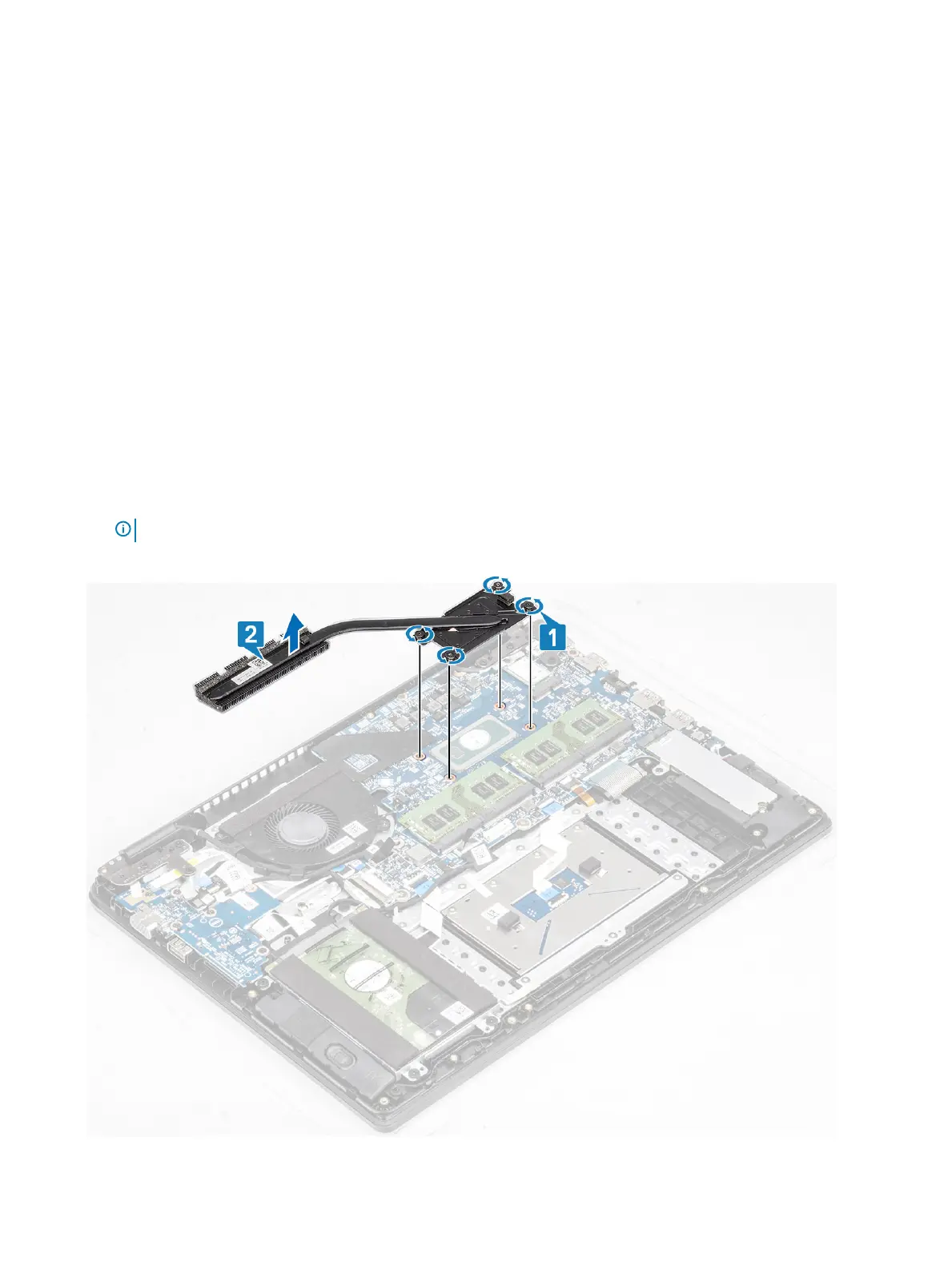
Removing the heatsink—UMA
Prerequisites
1 Follow the procedure in before working inside your computer
2 Remove the SD memory card
3 Remove the base cover
4 Remove the battery
Steps
1 Loosen the four captive screws that secure the heatsink to the system board [1].
NOTE
: Loosen the screws in the order of the callout numbers [1, 2, 3, 4] as indicated on the heatsink.
2 Lift the heatsink o the system board [2].
60
Removing and installing components


 To Next Page