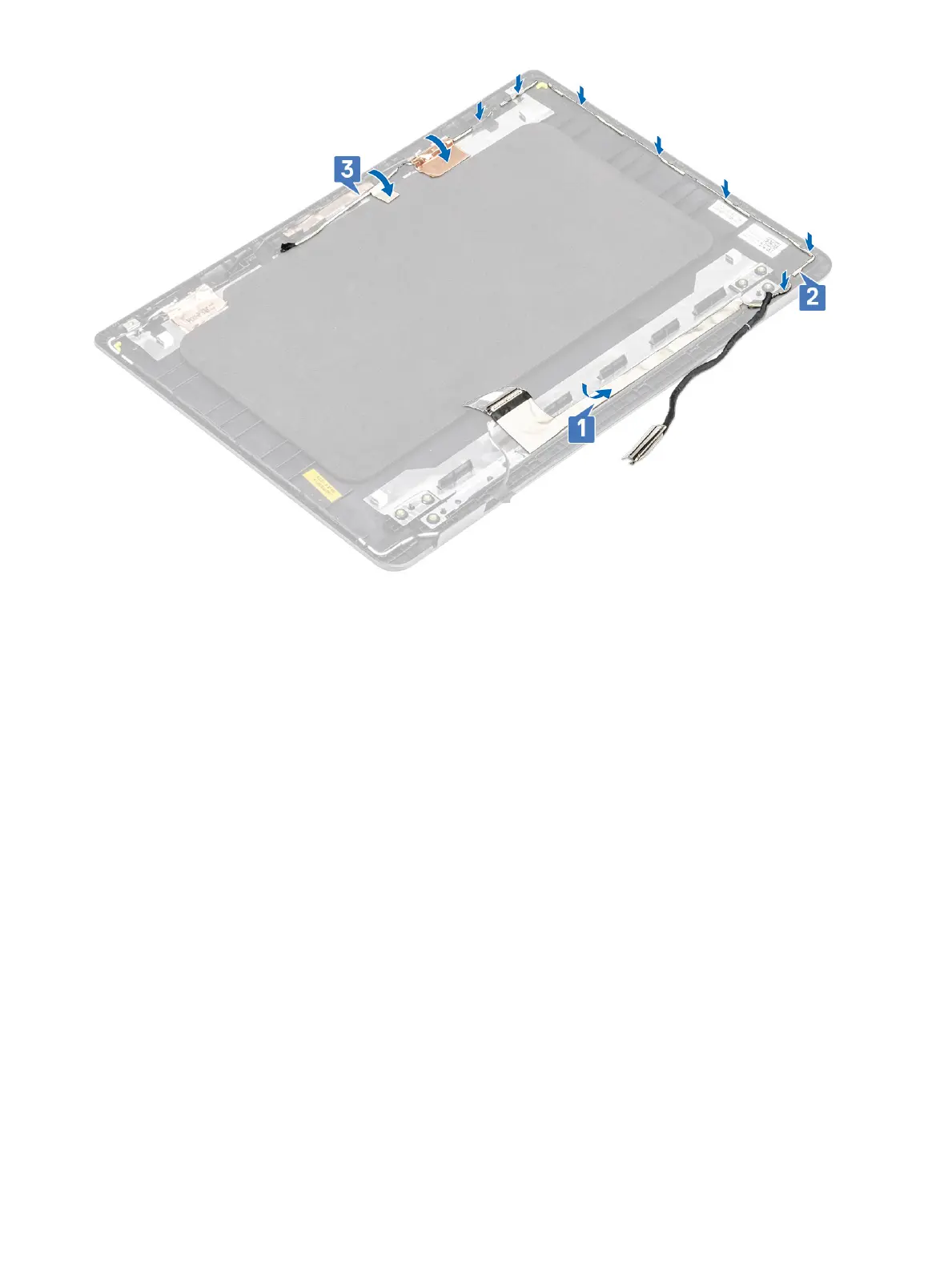
Next steps
1 Replace the display panel
2 Replace the display bezel
3 Replace the display assembly
4 Replace the WLAN
5 Replace the battery
6 Replace the base cover
7 Replace the SD memory card
8 Follow the procedure in after working inside your computer
Power-adapter port
Removing the power adapter port
Prerequisites
1 Follow the procedure in before working inside your computer
2 Remove the SD memory card
3 Remove the base cover
4 Remove the battery
5 Remove the WLAN
100
Removing and installing components


 To Next Page