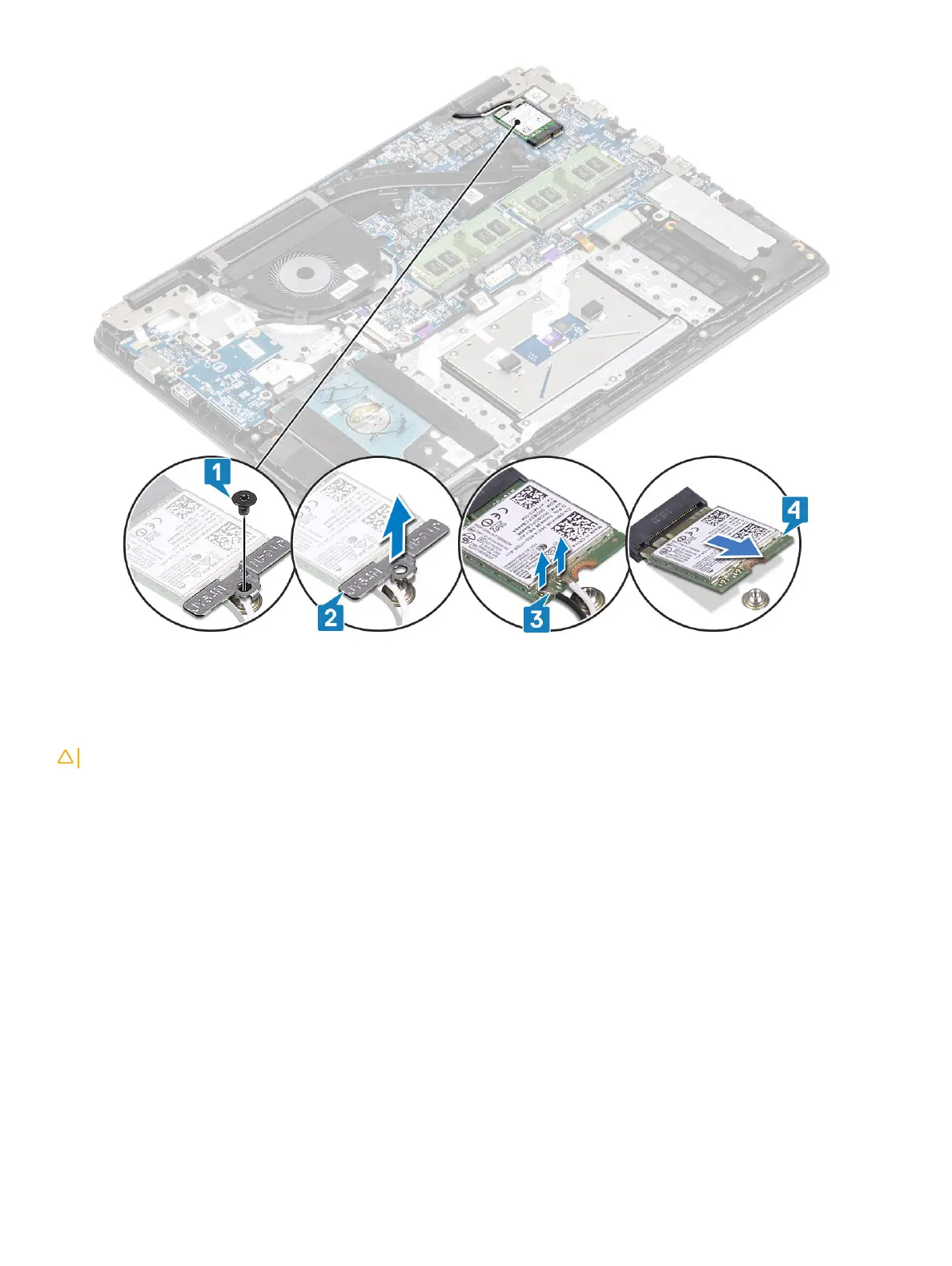
Installing the WLAN card
About this task
CAUTION
: To avoid damage to the WLAN card, do not place any cables under it.
Steps
1 Insert the WLAN card into the connector on the system board [1].
2 Connect the WLAN cables to the connectors on the WLAN card [2].
3 Place the WLAN card bracket to secure the WLAN cables to the WLAN card [3].
4 Replace the single (M2x3) screw to secure the WLAN bracket to the WLAN card [4].
40
Removing and installing components


 To Next Page