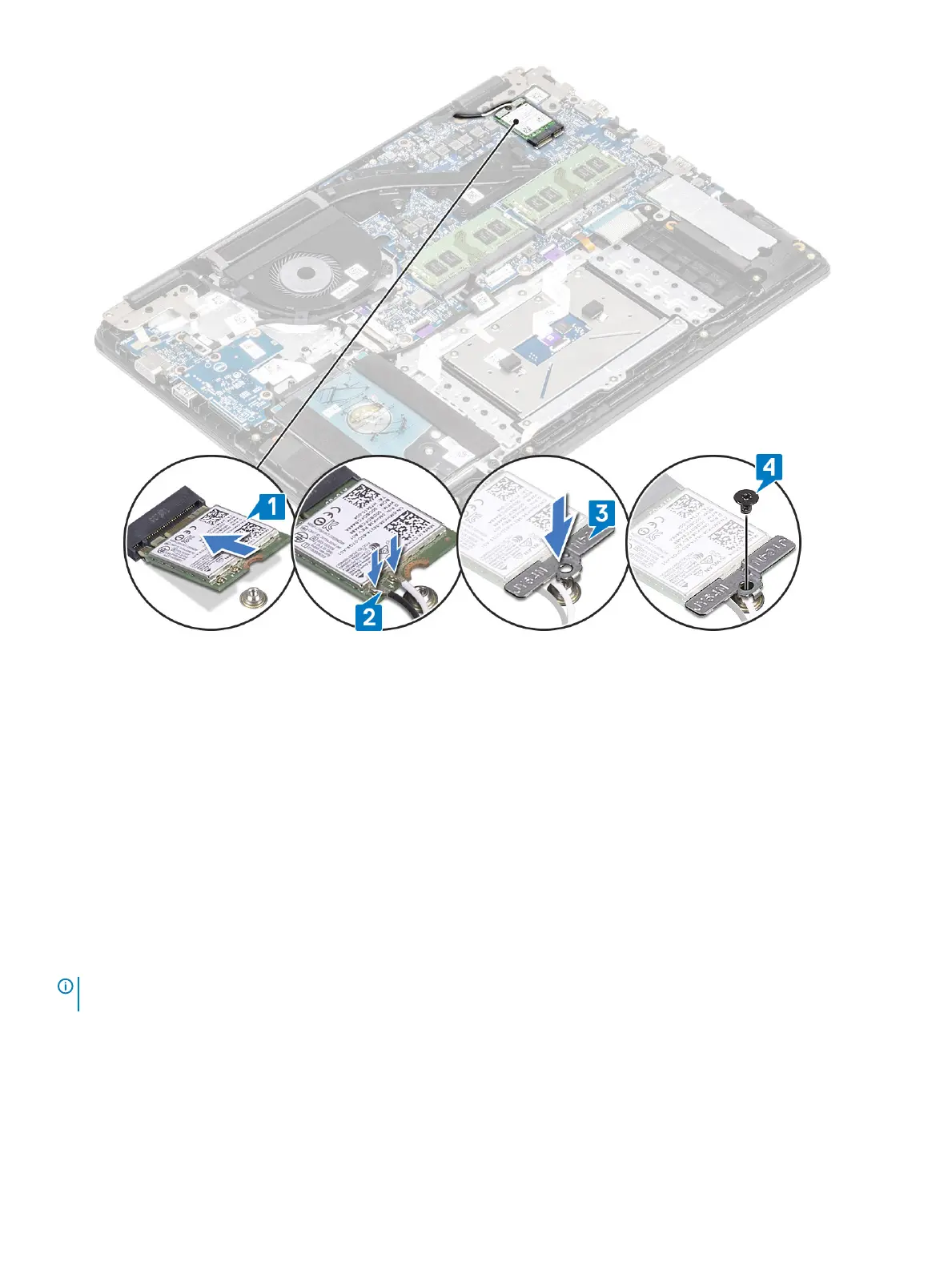
Next steps
1 Replace the battery
2 Replace the base cover
3 Replace the SD memory card
4 Follow the procedure in after working inside your computer
Solid-state drive/Intel Optane memory module
Removing the M.2 2280 Solid-state drive or Intel Optane memory—
Optional
Prerequisites
NOTE
: Disable the Intel Optane memory before removing the Intel Optane memory module from your computer. For more
information about disabling the Intel Optane memory, see disabling Intel Optane memory
1 Follow the procedure in before working inside your computer
2 Remove the SD memory card
3 Remove the base cover
4 Remove the battery
Removing and installing components
41


 To Next Page