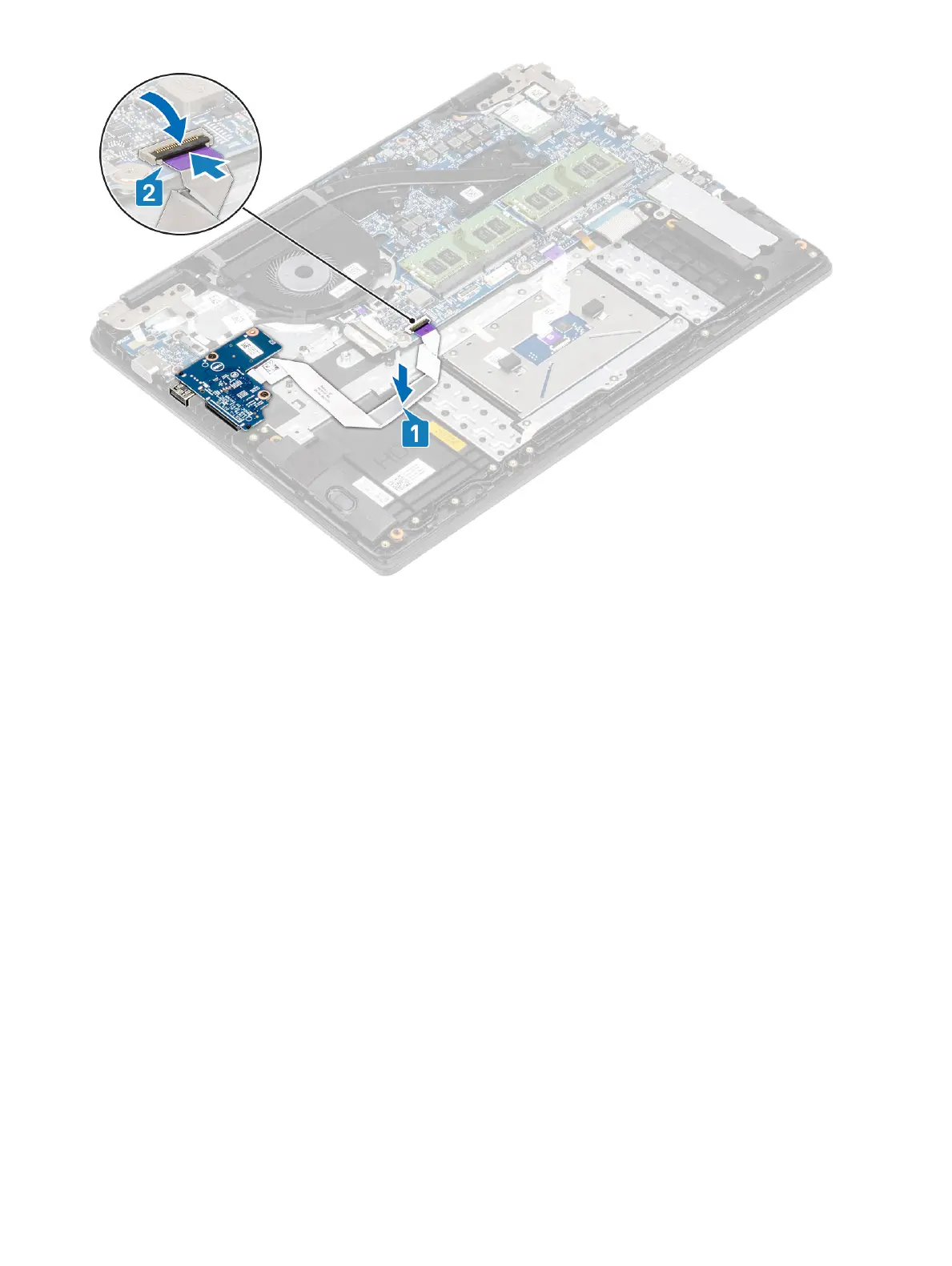
Next steps
1 Replace the hard drive assembly
2 Replace the battery
3 Replace the base cover
4 Replace the SD memory card
5 Follow the procedure in after working inside your computer
Touchpad
Removing the touch pad assembly
Prerequisites
1 Follow the procedure in before working inside your computer
2 Remove the SD memory card
3 Remove the base cover
4 Remove the battery
Steps
1 Remove the three (M2x2) screws that secure the touch pad bracket to the palmrest and keyboard assembly [1].
2 Lift the touch pad bracket o the palmrest and keyboard assembly [2], and peel the tape that secures the bracket to the palmrest.
Removing and installing components
31


 To Next Page