Removing and installing components
Recommended tools
The procedures in this document require the following tools:
• Phillips #0 screwdriver
• Phillips #1 screwdriver
• Plastic scribe
NOTE: The #0 screw driver is for screws 0-1 and the #1 screw driver is for screws 2-4
Secure Digital Card
Removing the Secure Digital card
Prerequisite
1 Follow the procedure in Before working inside your computer
Steps
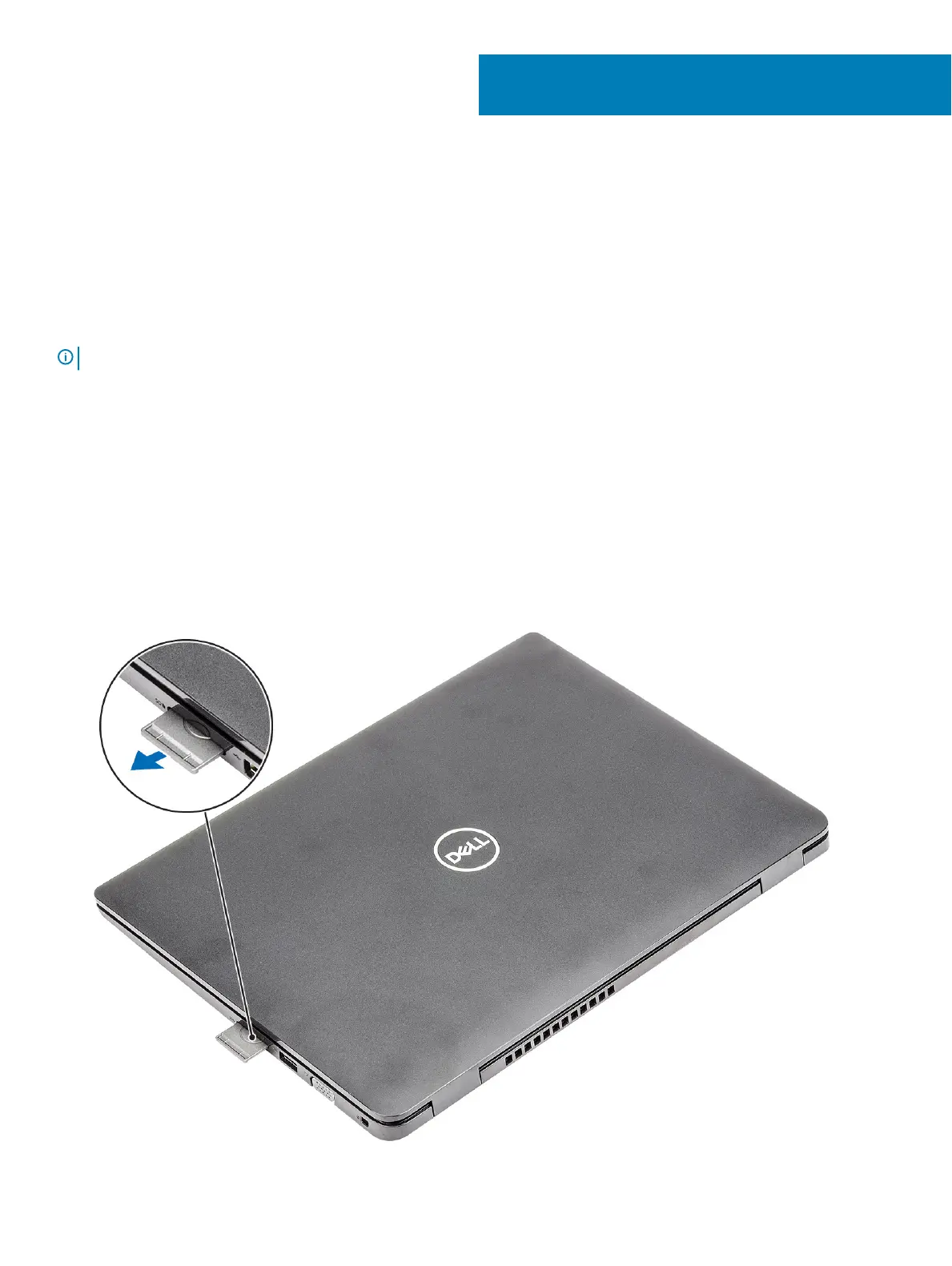
1 Push the secure digital card to release it from the computer.
2 Slide the secure digital card out of the computer.
3
Removing and installing components 13


 To Next Page