Steps
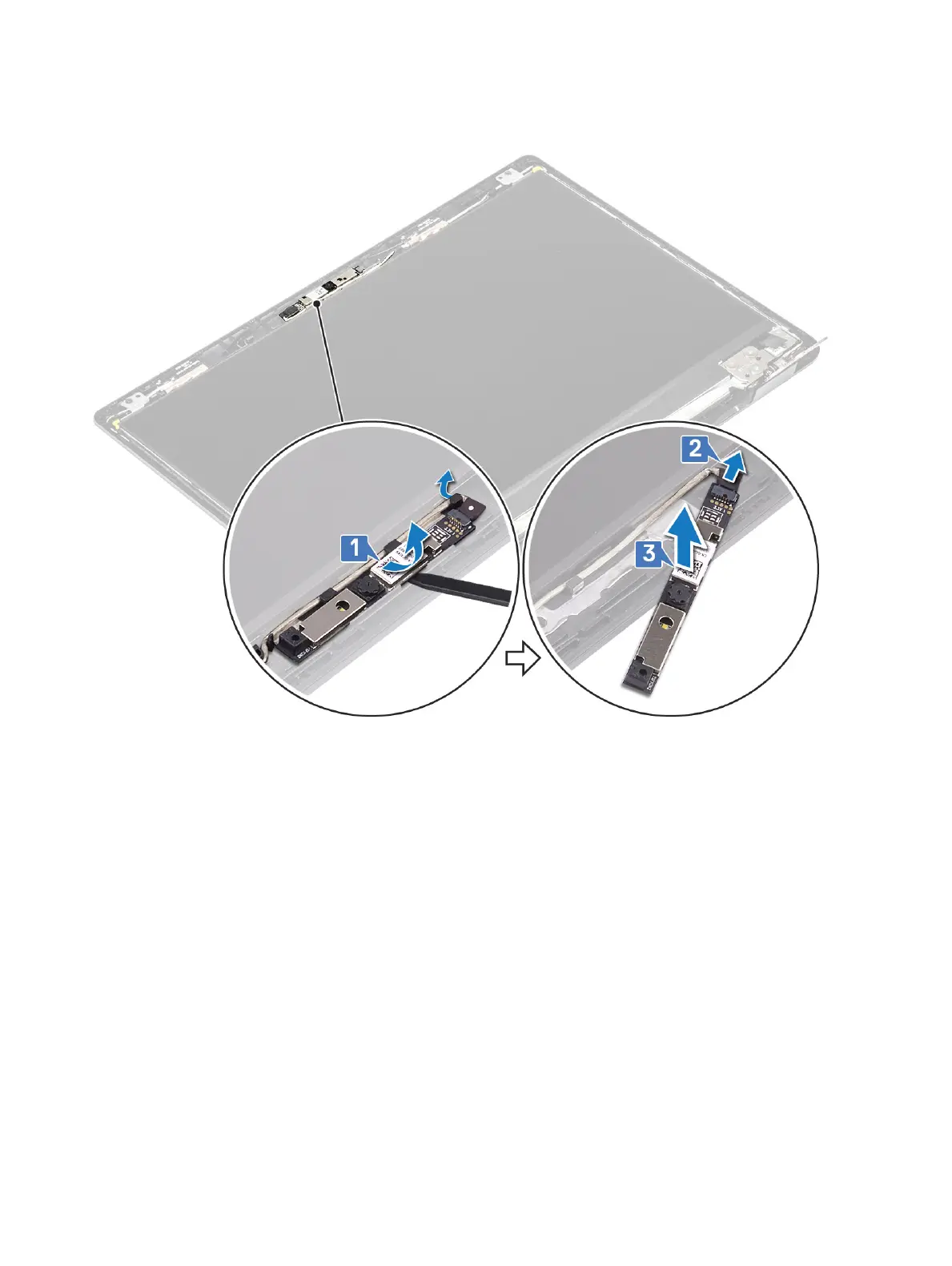
1 Using a plastic scribe, gently pry the camera o the display back-cover [1].
2 Disconnect the camera cable from the camera module [2].
3 Lift the camera module from the display back-cover [3].
1 Follow the below procedure to remove the camera in systems with the Touch functionality.
4 Peel the tape that secures the camera o the display back-cover [1].
5 Lift the camera module from the display back-cover [2].
Removing and installing components
103


 To Next Page
 Loading...