Installing the memory module
Steps
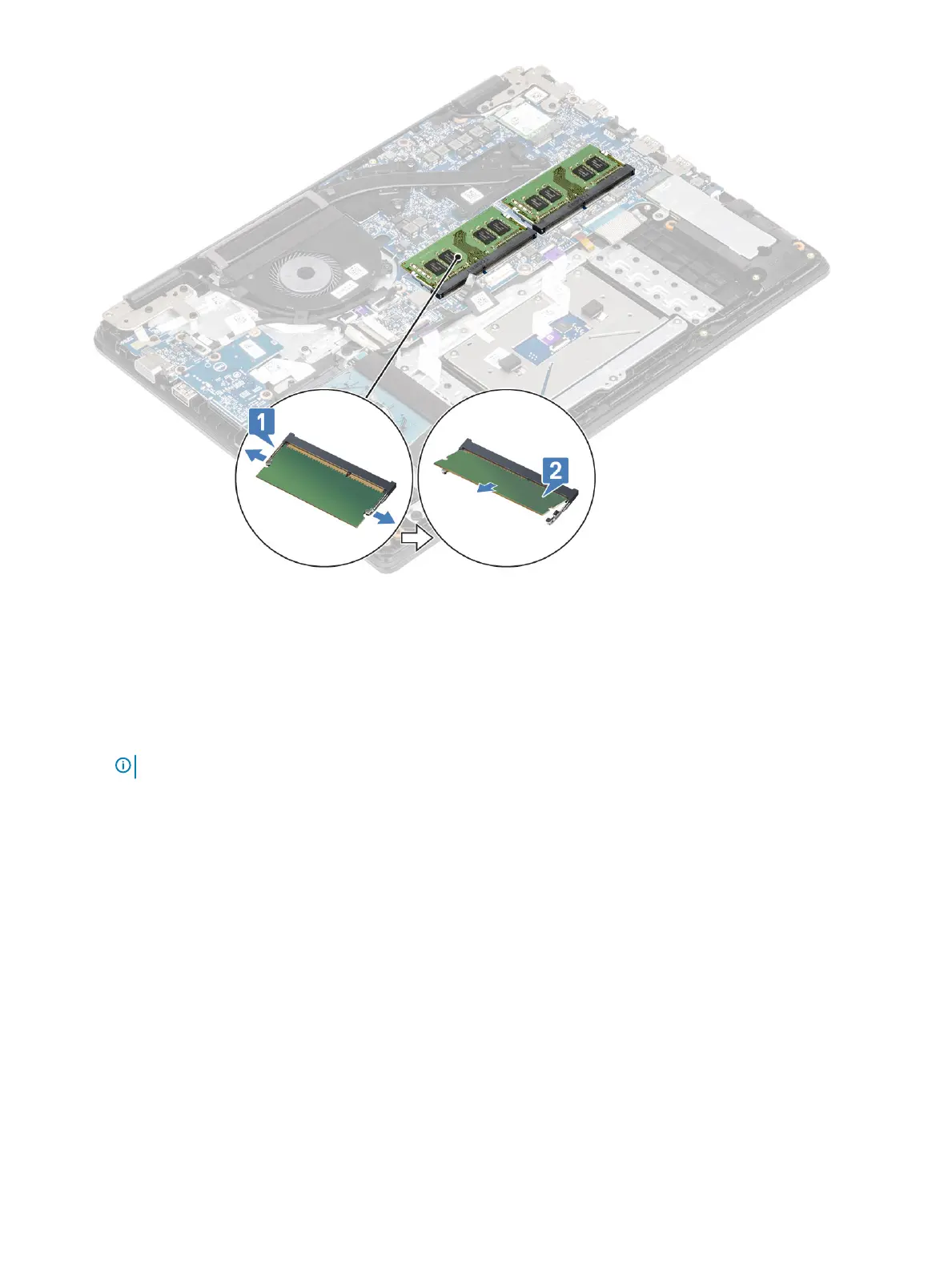
1 Align the notch on the memory module with the tab on the memory-module slot.
2 Slide the memory module rmly into the slot at an angle [1].
3 Press the memory module down until the clips secure it [2].
NOTE
: If you do not hear the click, remove the memory module and reinstall it.
38 Removing and installing components


 To Next Page