Steps
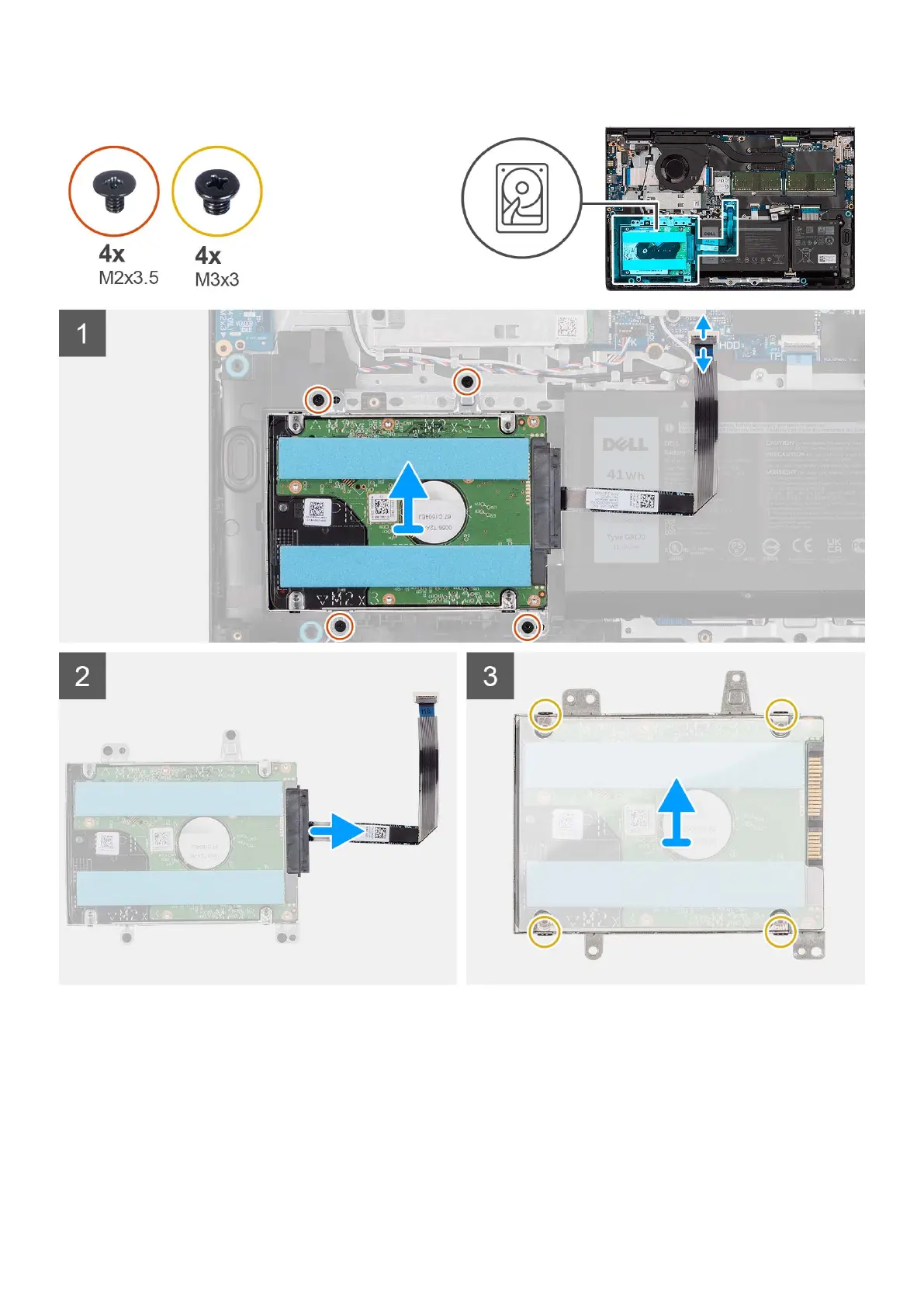
1. Disconnect the hard drive cable from the system board.
2. Remove the four (M2x3.5) screws that secure the hard drive assembly to the palm-rest and keyboard assembly.
3. Lift the hard drive assembly and its cable from the palm-rest and keyboard assembly.
4. Disconnect the hard drive cable from the hard drive assembly.
5. Remove the four (M3x3) screws that secure the hard drive to the hard drive bracket.
6. Slide and remove the hard drive from the hard drive bracket.
44
Removing and installing components



 To Next Page