Steps
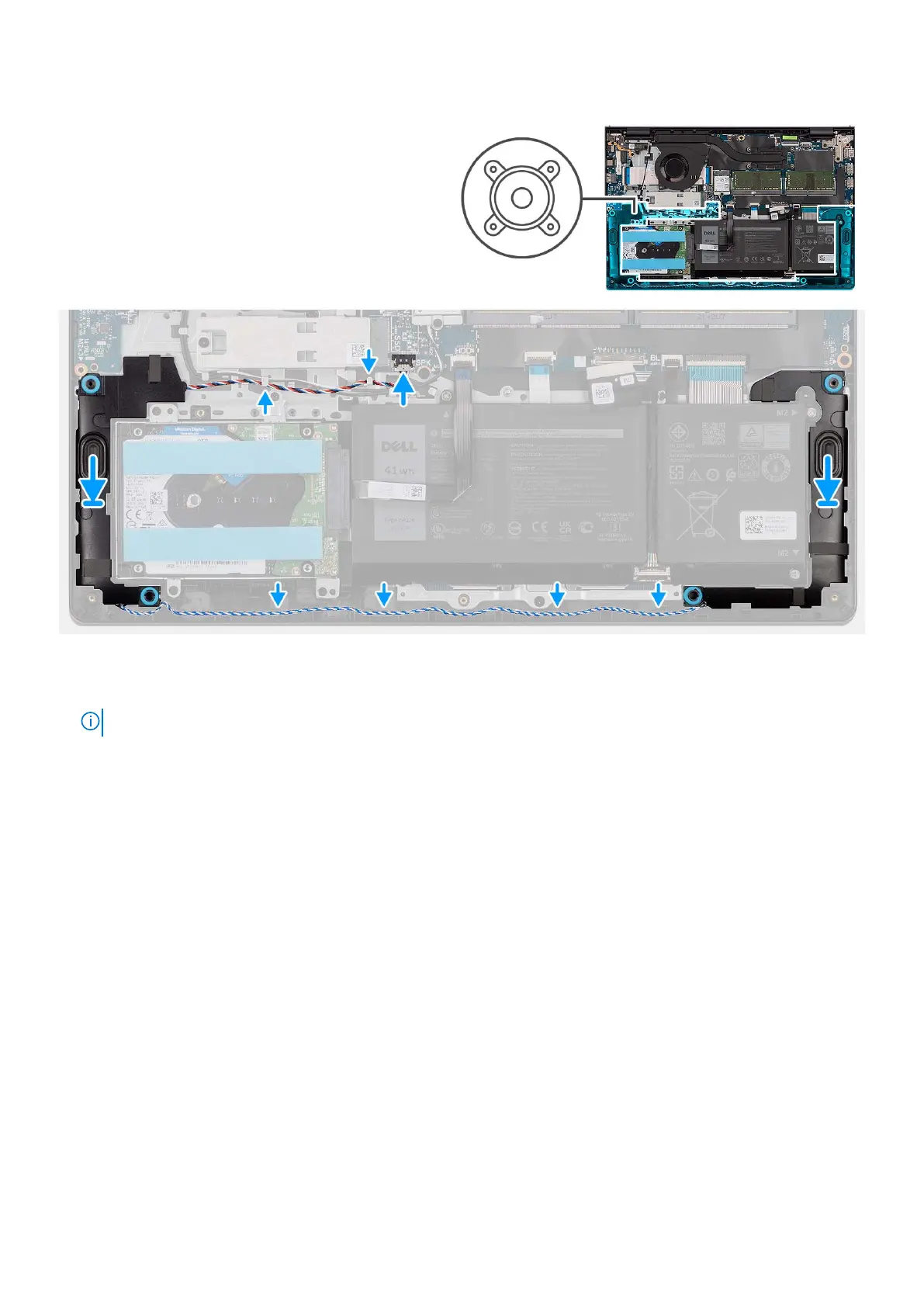
1. Using the alignment posts, place the speakers on the palm-rest and keyboard assembly.
NOTE: Ensure that the alignment posts are threaded through the rubber grommets on the speaker.
2. Route the speaker cable through the routing guides on the palm-rest and keyboard assembly.
3. Connect the speaker cable to the system board.
Next steps
1. Install the base cover.
2. Install the SD card.
3. Follow the procedure in After working inside your computer.
Heat sink
Removing the heat sink
Prerequisites
1. Follow the procedure in Before working inside your computer.
2. Remove the SD card.
3. Remove the base cover.
50
Removing and installing components



 To Next Page