Steps
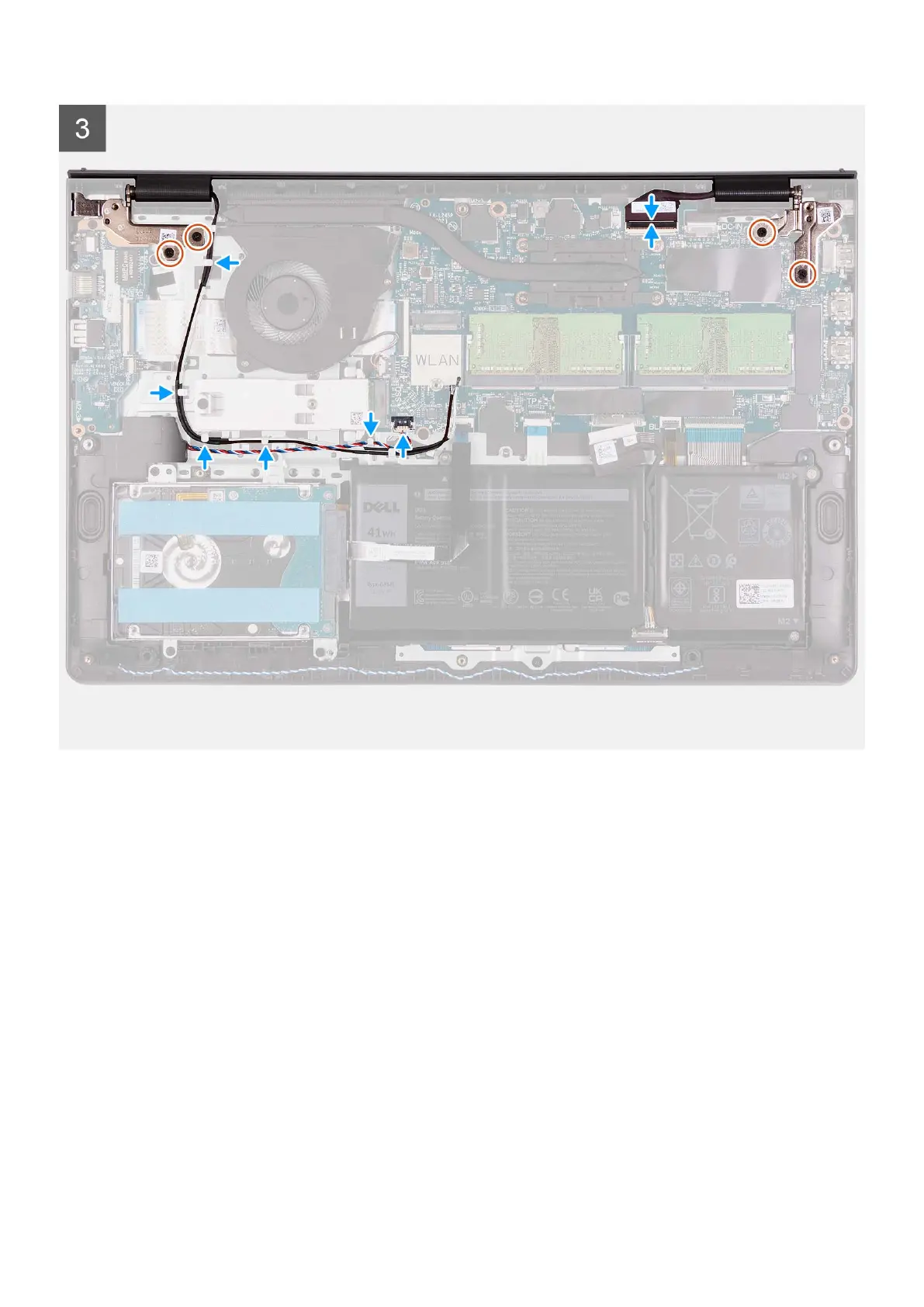
1. Slide the display assembly at an angle, and place the display assembly on the palm-rest and keyboard assembly.
2. Gently press down on the display hinges to align the screw holes on the display hinges with the screw holes on the palm-rest
and keyboard assembly.
3. Replace the four (M2.5x5) screws that secure the display hinges to the palm-rest and keyboard assembly.
4. Route the WLAN antenna cables through the routing guides on the palm-rest and keyboard assembly. Adhere the tape to the
heat sink and fan to secure the cables in place.
Removing and installing components
67



 To Next Page