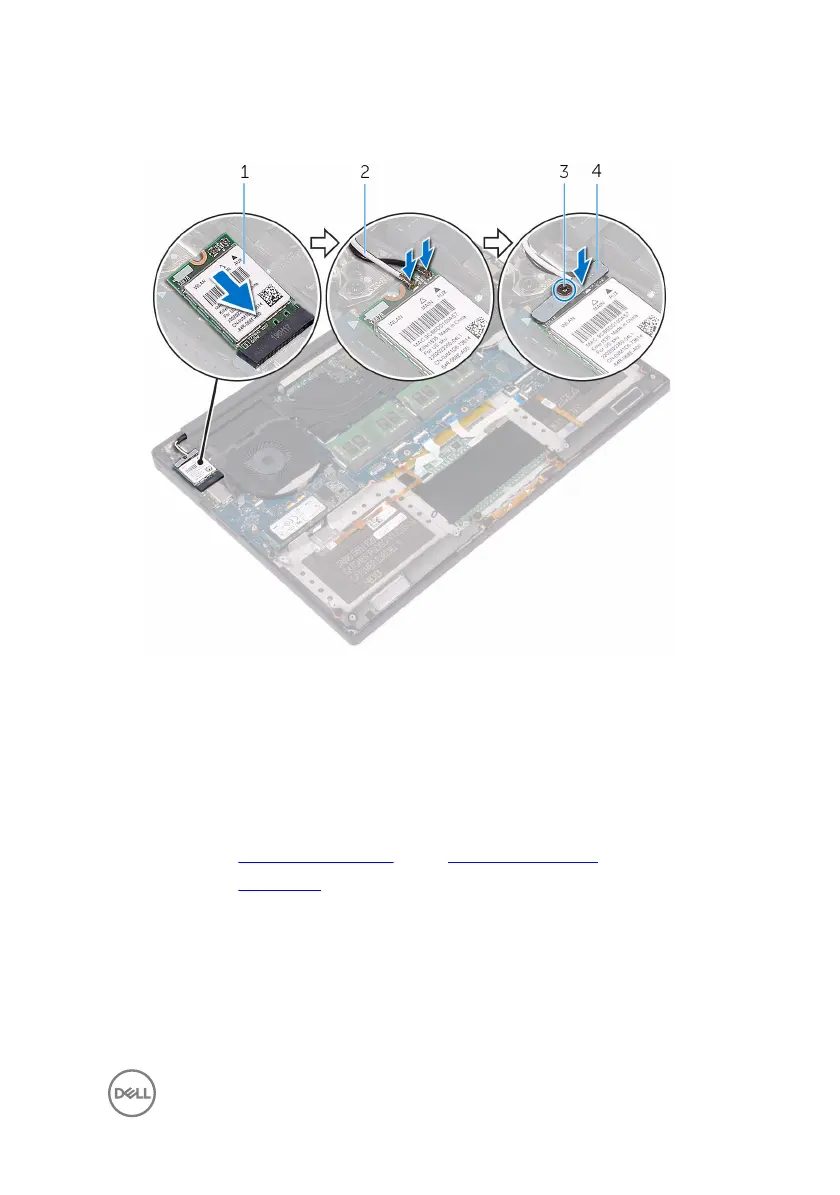
4 Tighten the captive screw that secures the wireless-card bracket to the wireless
card.
Figure 15. Replacing the wireless card
1
wireless card 2 antenna cables (2)
3 captive screw 4 wireless-card bracket
Post-requisites
1 Replace the battery (half-length) or the battery (full-length).
2 Replace the base cover.
45




 To Next Page