Adding and Replacing Parts 103
6 Remove any installed PC Cards and battery.
NOTICE: Handle components and cards by their edges, and avoid touching pins and contacts.
Ground yourself by touching a metal connector on the back of the computer. Continue to ground
yourself periodically during this procedure.
7
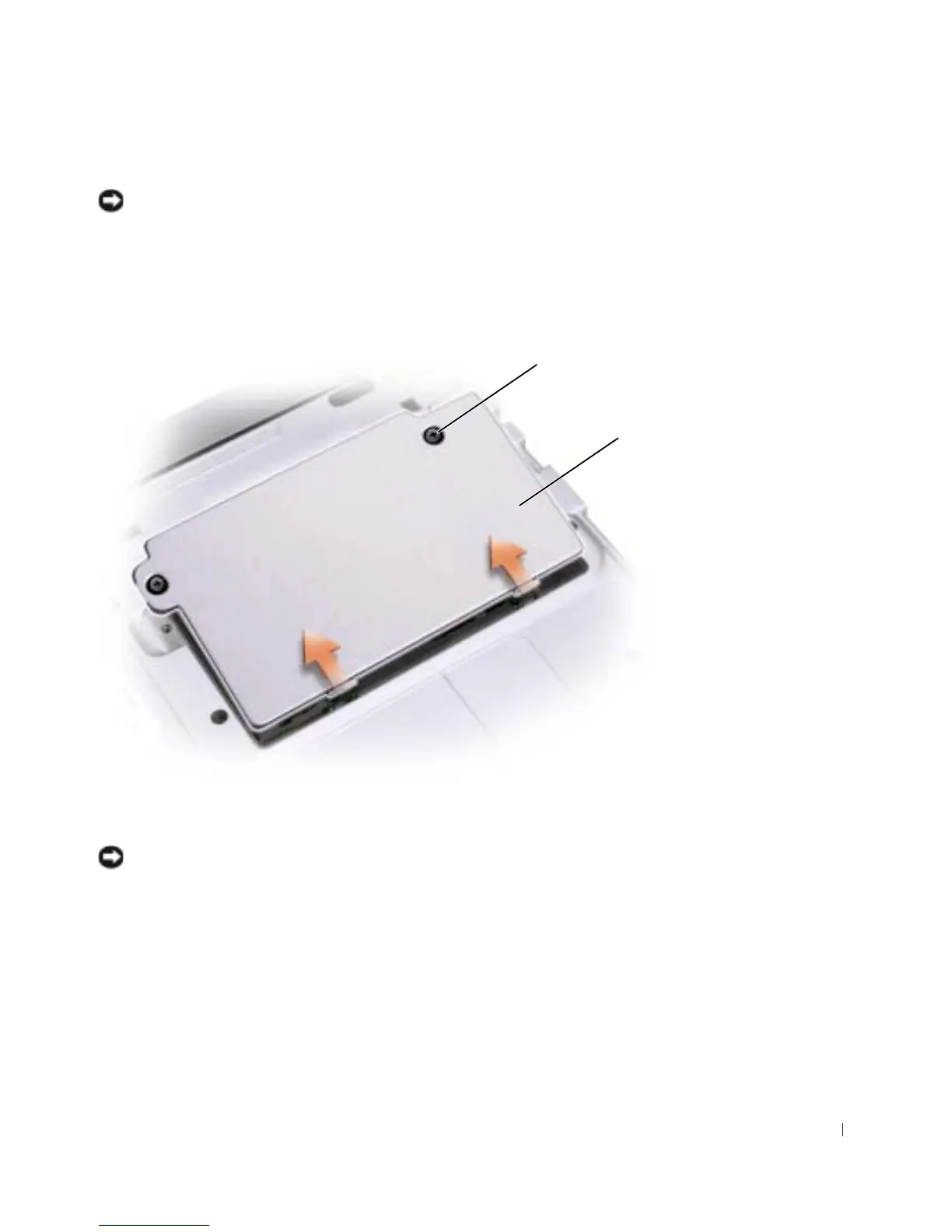
Turn the computer over, unscrew both captive screw(s) from the memory
module/Mini PCI card/modem cover, and remove the cover.
NOTICE: To prevent damage to the memory module connector, do not use tools to spread the
inner metal tabs that secure the memory module.
cover
captive screw (2)










 To Next Page