114 Adding and Replacing Parts
www.dell.com | support.dell.com
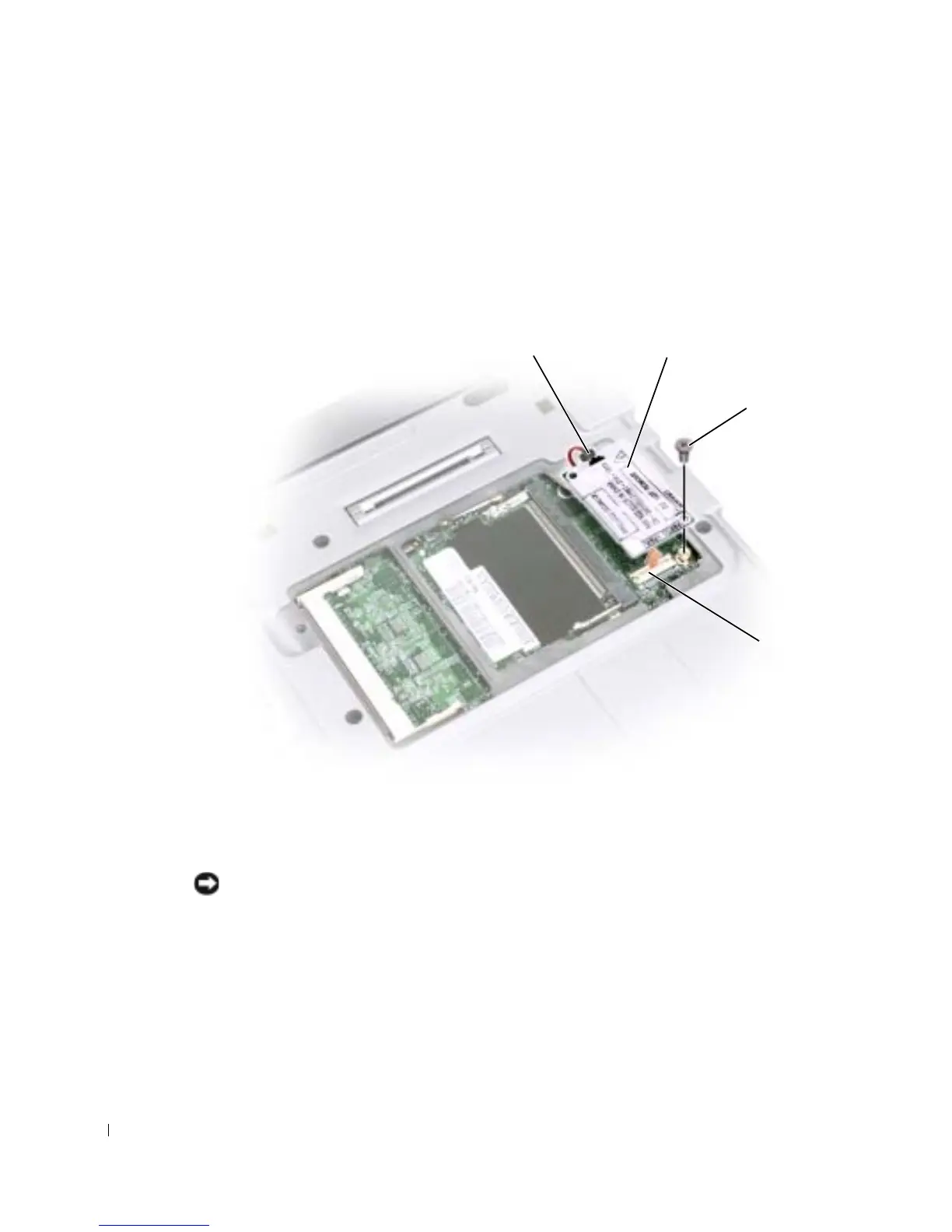
8 If a modem is not already installed, go to step 11. If you are replacing a modem,
remove the existing modem:
a Remove the screw securing the modem to the system board, and set it aside.
b Pull straight up on the attached pull-tab to lift the modem out of its connector on
the system board, and disconnect the modem cable.
9 Connect the modem cable to the modem.
NOTICE: The connectors are keyed to ensure correct insertion. If you feel resistance, check the
connectors and realign the card.
10
Align the modem with the screw hole and press the modem into the connector on the
system board.
11 Install the screw to secure the modem to the system board.
12 Replace the cover.
modem
system board
connector
modem screw
modem cable connector










 To Next Page