Setting Up a Home and Office Network 77
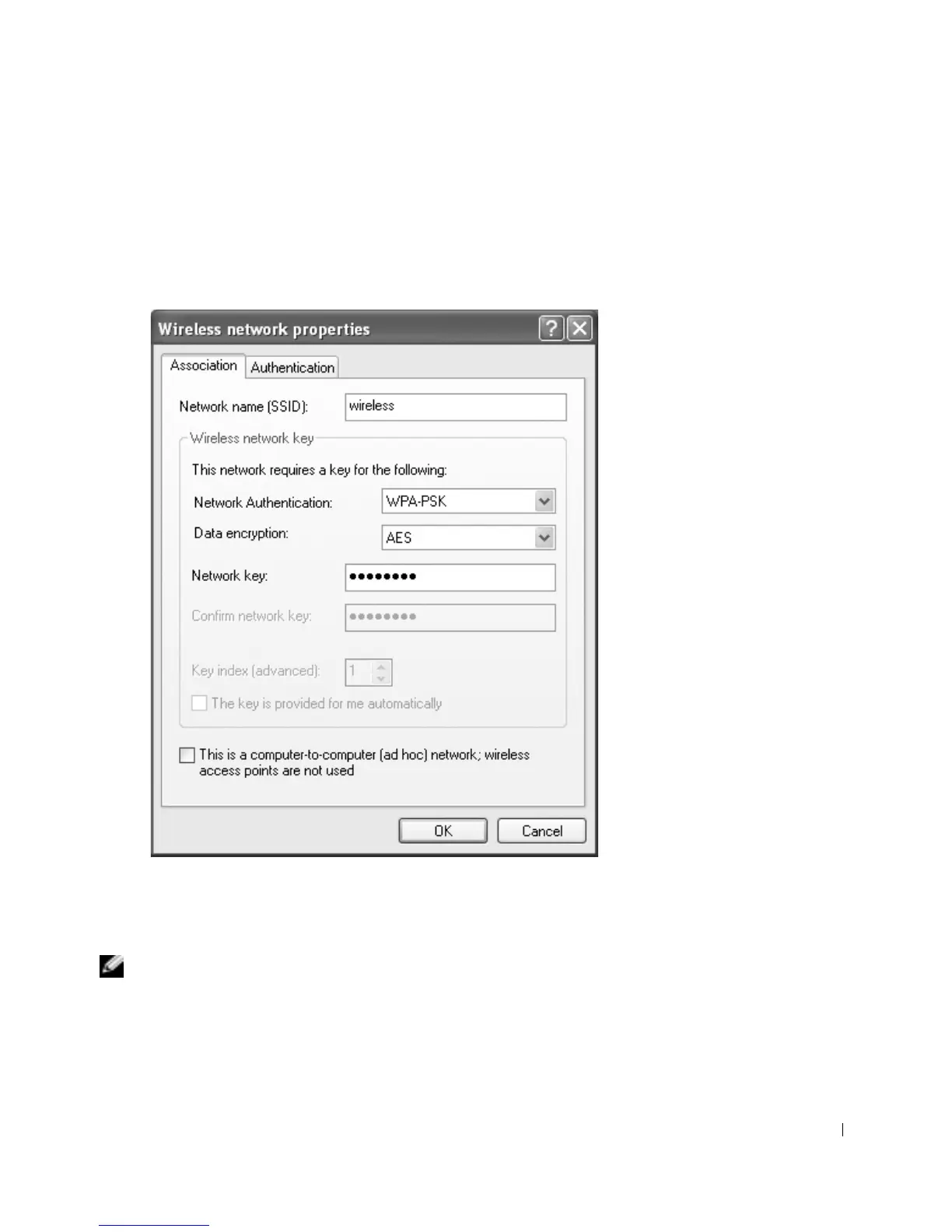
3 From the Network Authentication drop-down menu, select your network
authentication type (as provided by the network administrator).
If you do not see the drop-down menu, you must update your wireless software before
continuing. Download and install the latest version of your wireless driver software
from the Dell Support website at support.dell.com.
4 From the Data encryption drop-down menu, select your data encryption type (as
provided by the network administrator).
5 If your wireless network requires a key, enter it in the Network key field.
NOTE: Your computer can take up to 1 minute to connect to the network.
6
Click OK.
Your network setup is complete.










 To Next Page