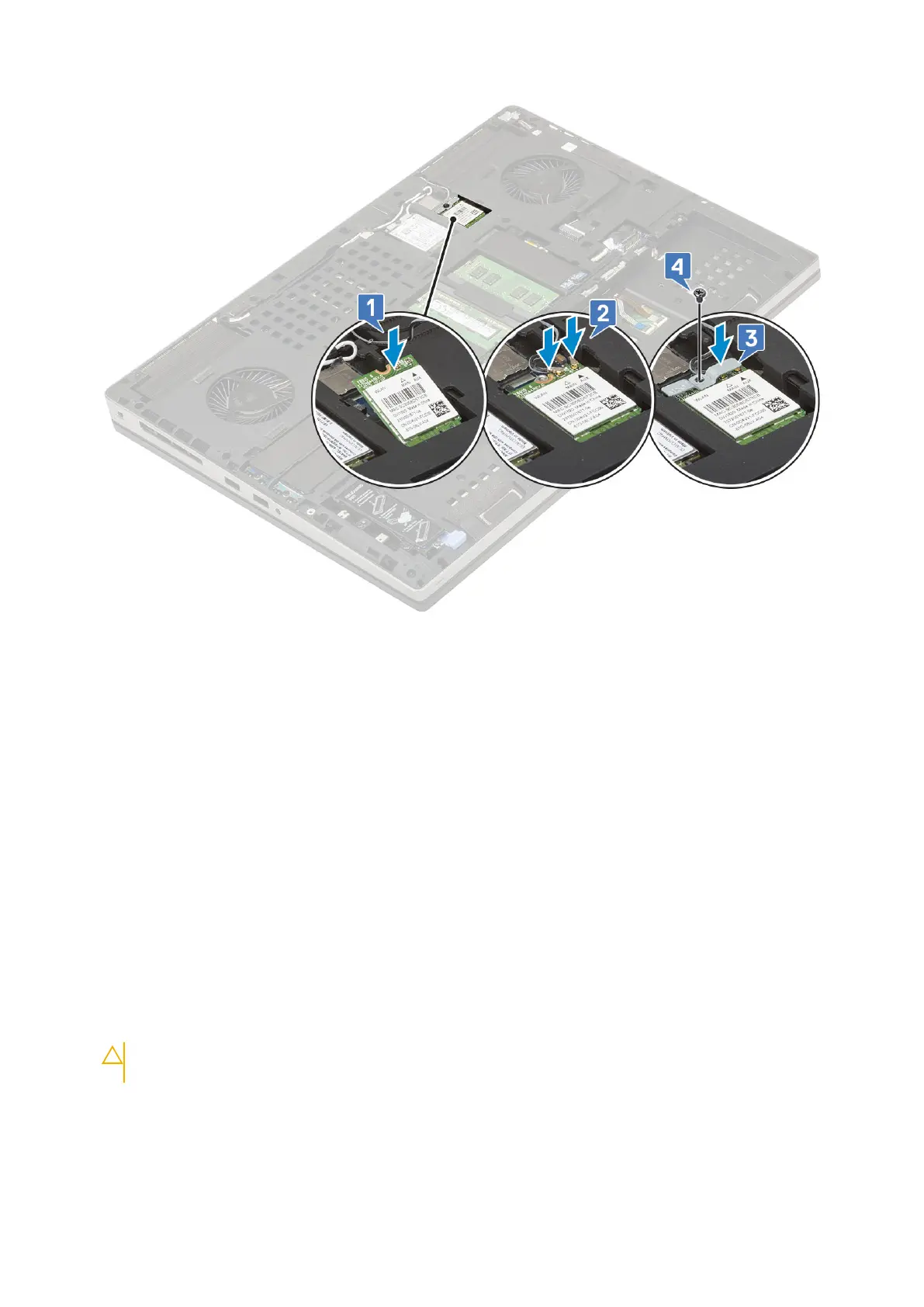
2. Install the:
a. base cover
b. battery
c. battery cover
d. SD card
3. Follow the procedure in After working inside your computer.
SIM card
Removing SIM card
1. Follow the procedure in Before working inside your computer.
2. Remove the:
a. SD card
b. battery cover
c. battery
d. base cover
3. To remove SIM card:
a. Gently slide the SIM card cover towards the rear of the system to unlock the SIM card cover [1].
CAUTION:
The SIM card cover is very fragile and can be easily damaged if it is not properly unlocked
before opening.
b. Filp the SIM card cover from the botton edge [2].
c. Lift the SIM card from the SIM card compartment [3].
Removing and installing components
39















 To Next Page