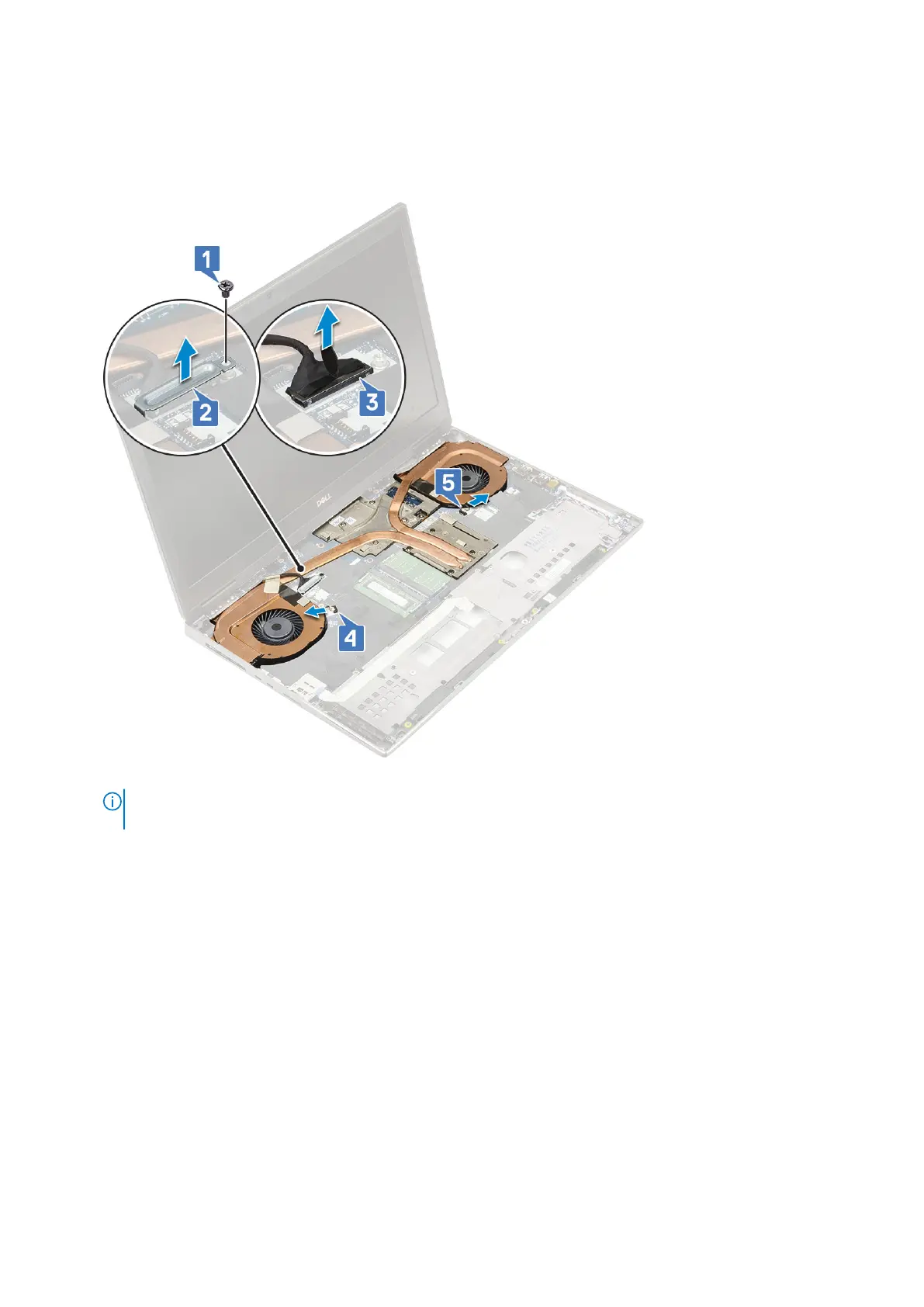
a. Remove the single (M2.0x3.0) screw that secures the eDP cable bracket to the system board [1].
b. Remove the eDP cable bracket from the system [2].
c. Disconnect the eDP cable from the connector on the system board [3].
d. Pry the adhesive tape that secures the eDP cable in place.
e. Disconnect the two fan cables from the connector on the system board [4,5].
f. Loosen the 8 captive screws that secure the heat sink assembly to the system board [1].
NOTE:
Remove the captive screws in the order stamped onto the heat sink next to the screws [1 > 2 > 3 > 4 > 5 > 6
> 7 > 8].
g. Lift the heat sink assembly [2].
Removing and installing components
71















 To Next Page