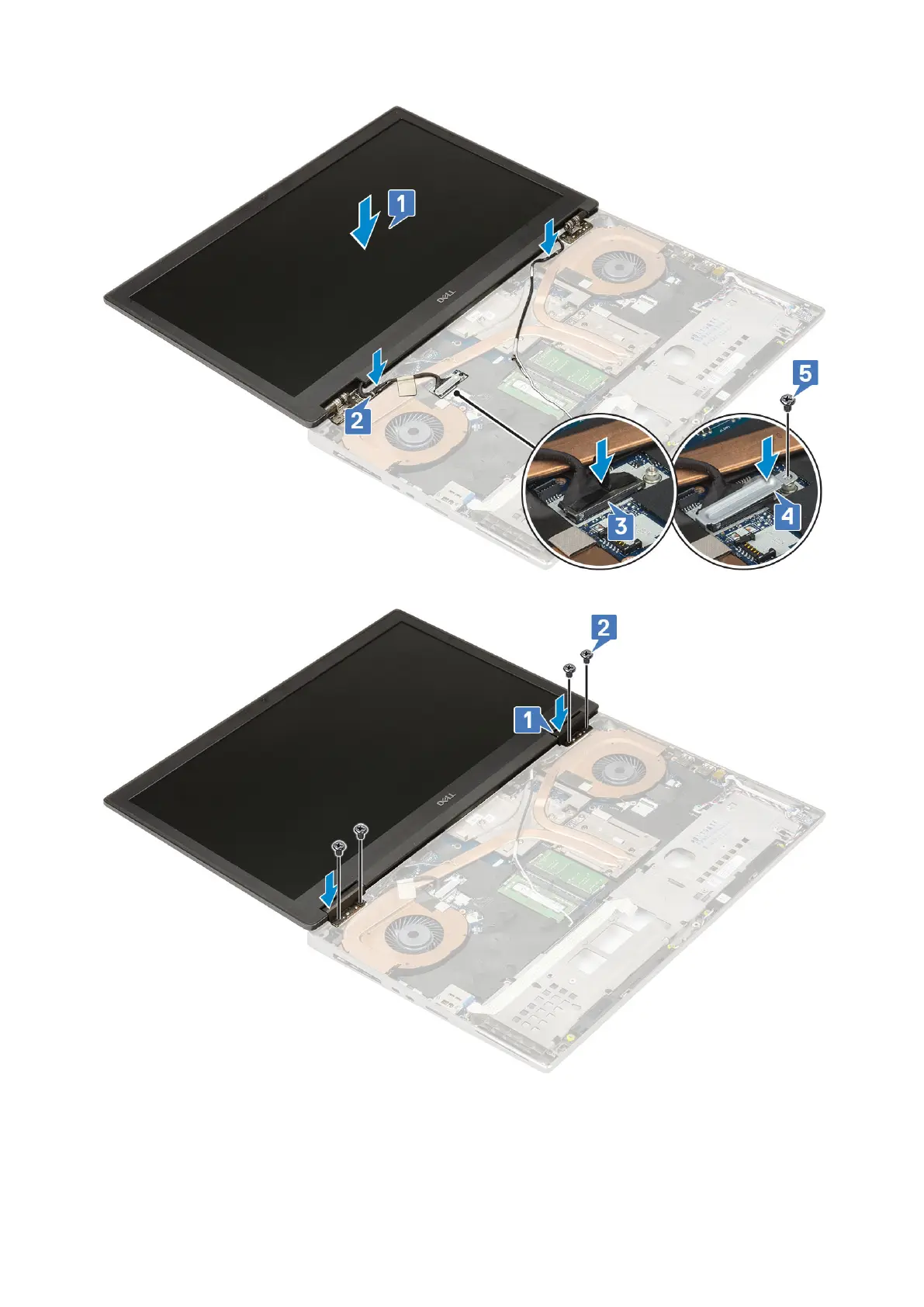
f. Align the display hinge caps and replace the 4 (M2.5x4.0) screws to secure the display hinge caps to the system [1, 2].
g. Close the display assembly and replace the 2 (M2.5x6.0) screws at the rear of the system to secure the display assembly
in place.
h. Route all the wireless antenna cables to the routing channels at the bottom of the system and next to the hinge caps [1].
i. Replace the 2 (M2.5x5.0) screws at the bottom of the system to secure the display assembly in place [2].
Removing and installing components
87















 To Next Page