IEEE 1394 Card: Dell Precision M6400 Service Manual
file:///T|/htdocs/systems/wsm6400/en/sm/1394.htm[11/16/2012 10:27:22 AM]
Back to Contents Page
IEEE 1394 Card
Dell Precision™ M6400 Service Manual
Removing the IEEE 1394 Card
Replacing the IEEE 1394 Card
Removing the IEEE 1394 Card
CAUTION: Before working inside your computer, read the safety information that shipped with your
computer. For additional safety best practices information, see the Regulatory Compliance Homepage on
www.dell.com at: www.dell.com/regulatory_compliance.
1. Follow the instructions in Before Working on Your Computer
.
2. Remove the base assembly cover (see Removing the Base Assembly Cover
).
3. Remove the secondary hard drive (see Removing the Secondary Hard Drive (HDD2)
).
4. Remove the display assembly (see Removing the Edge-to-Edge Display
or Removing the Display Assembly).
5. Remove the LED cover (see Removing the LED Cover
).
6. Remove the keyboard (see Removing the Keyboard
).
7. Remove the palm rest (see Removing the Palm Rest Assembly
).
8. Remove the card cage (see Removing the Card Cage
).
9. Remove the left I/O board (see Removing the Left I/O Board
).
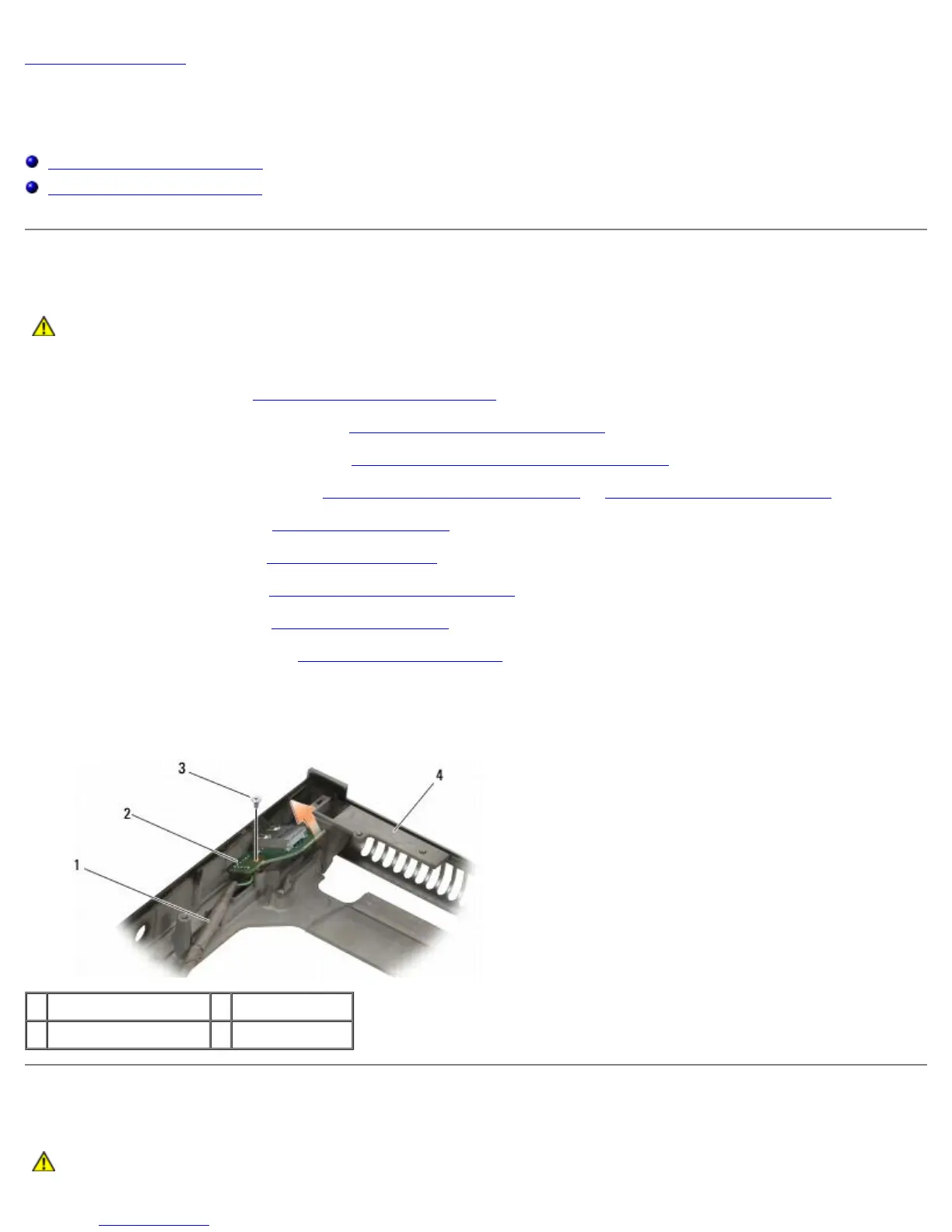
10. Remove the M2 x 3-mm screw.
11. Remove the IEEE 1394 card.
1 IEEE 1394 card cable 2 IEEE 1394 card
3 M2 x 3-mm screw 4 base assembly
Replacing the IEEE 1394 Card
CAUTION: Before working inside your computer, read the safety information that shipped with your















 To Next Page