34 │ Setting up the monitor
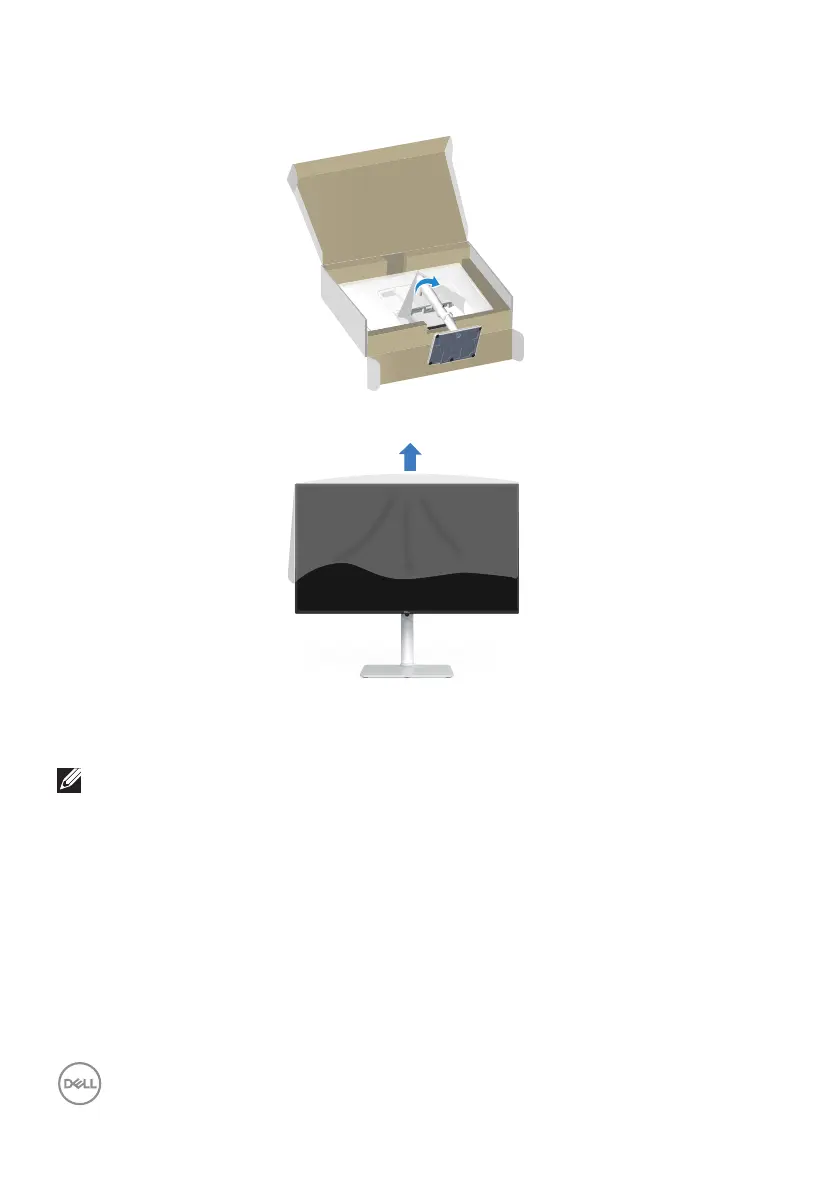
11. Hold the stand riser firmly with both hands and lift the monitor carefully, then
place it on a flat surface.
12. Remove the cover from the monitor.
Using the tilt, swivel and height adjustment
NOTE: These values are applicable to the stand that was shipped with
your monitor. To set up with any other stand, see the documentation
that shipped with the stand.



 To Next Page