Operating your monitor │ 45
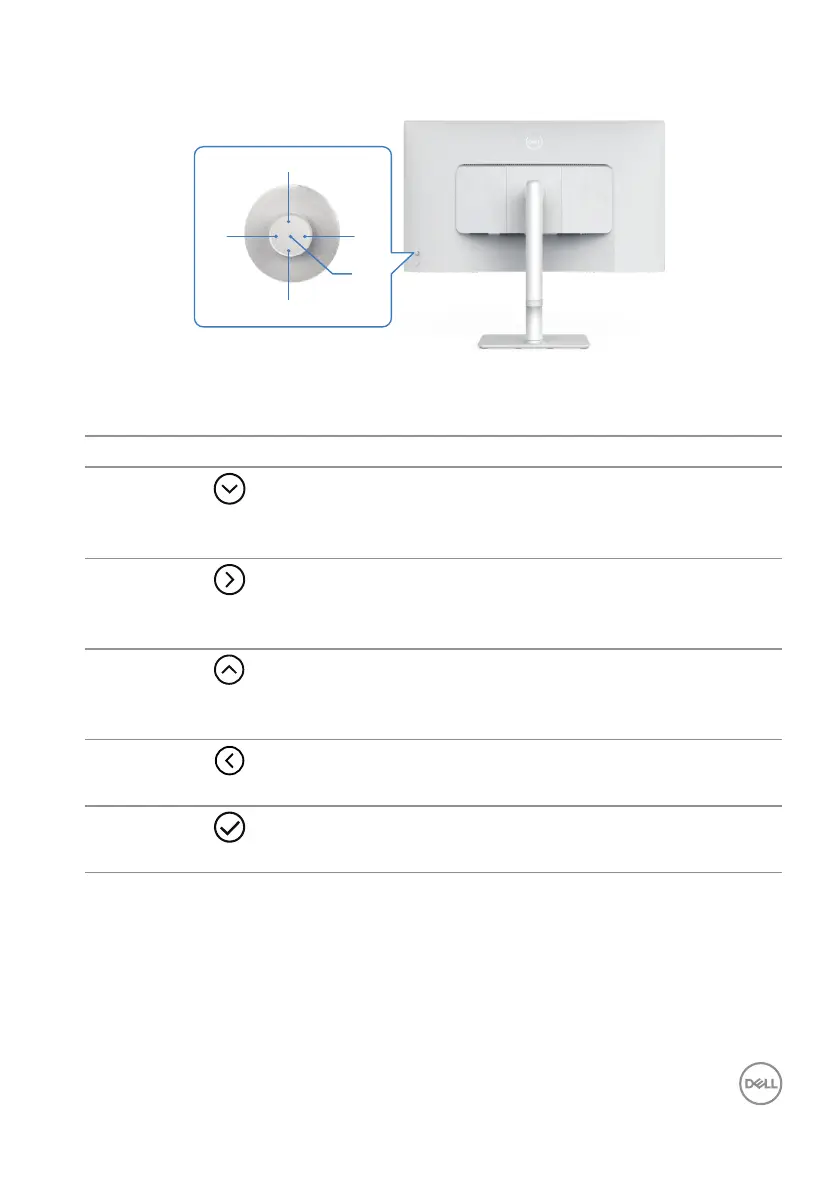
Using the Joystick Control
42
1
5
3
Direct key functions
The following table describes the Joystick control:
Joystick control Description
1
Direct key 1/
Brightness
To access the adjustment slider of Brightness. Press
again to decrease by one level.
2
Direct key 2/Audio
Profiles
To choose a preferred audio mode from the list of
audio profiles.
3
Direct key 3/
Brightness
To access the adjustment slider of Brightness. Press
again to decrease by one level.
4
Direct key 4/Volume
To access the adjustment slider of Volume.
5
Menu Launcher
To access the Menu Launcher.



 To Next Page