Setting up the monitor │ 39
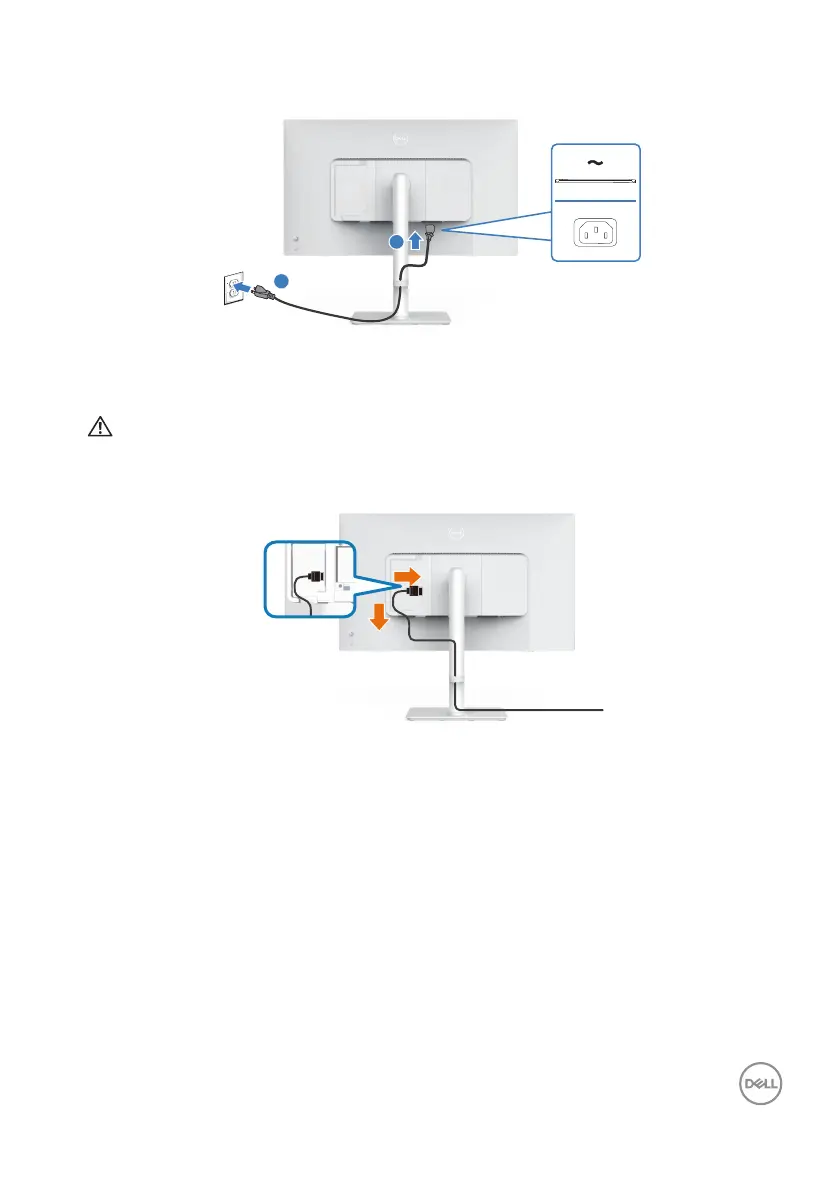
3. Connect the power cable to the monitor and the wall outlet.
2
1
Routing the cables
WARNING: Place monitor on a flat, clean, and soft surface to avoid
scratching the display panel. You can use the EPE foam cover as a
protective blanket.
1
2
Spread the monitor protective cover on a flat surface.
• Place the monitor with its front facing downward on it.
• To route the cables:
1. Insert HDMI cable into HDMI connector (see Connecting your monitor).
2. Insert and organize the HDMI cable under the restraint lever as shown
above.



 To Next Page