54 │ Operating your monitor
Icon Menu and
submenus
Description
Reset Color
Resets your monitor’s color settings to the factory
settings.
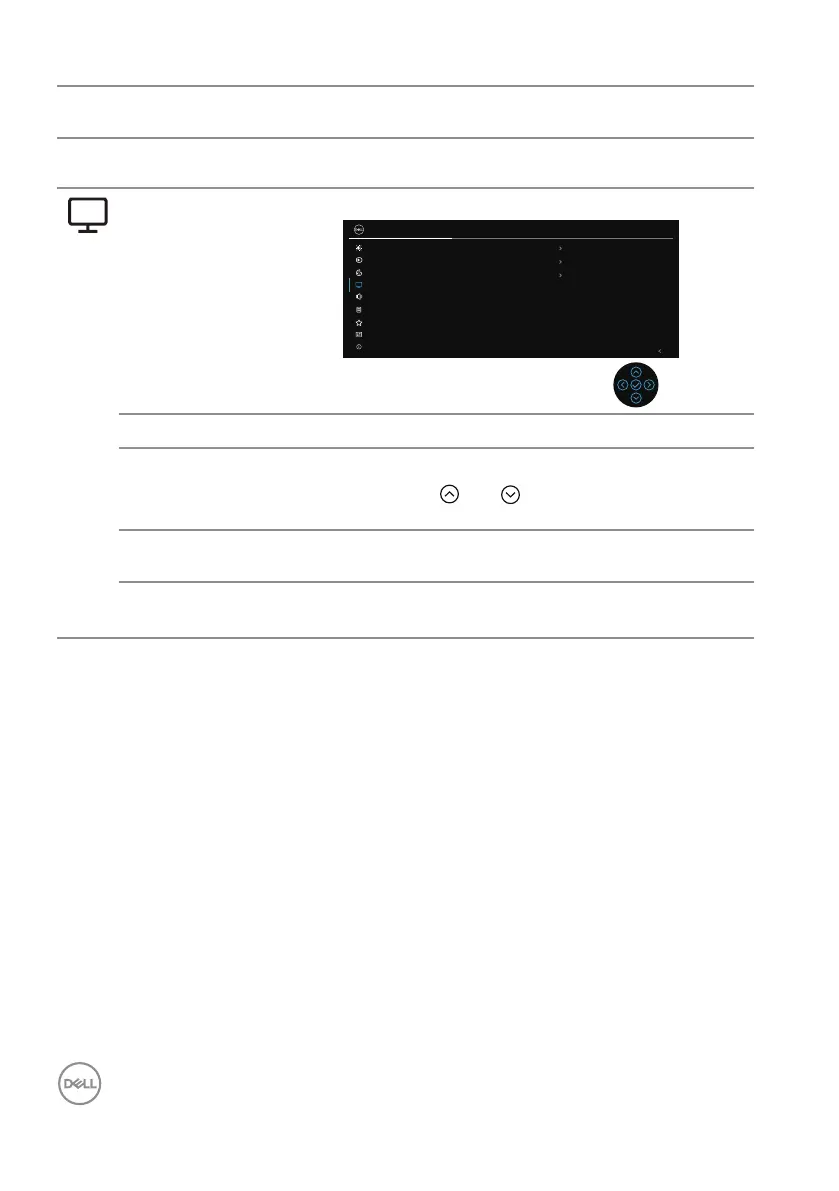
Display Uses the display to adjust image.
27 Monitor
Exit
Aspect Ratio
16:9
50
Normal
Sharpness
Response Time
Reset Display
Brightness/Contrast
Input Source
Color
Display
Audio
Menu
Personalize
Others
More Information
Aspect Ratio Adjusts the image ratio to 16:9, 4:3, 5:4.
Sharpness Make the image look sharper or softer.
Move the joystick and to adjust the sharpness
from 0 to 100.
Response Time Allows you to set the Response Time to Normal,
Fast or Extreme.
Reset Display Resets your monitor’s display settings to the factory
settings.



 To Next Page