Operating your monitor │ 57
Icon Menu and
submenus
Description
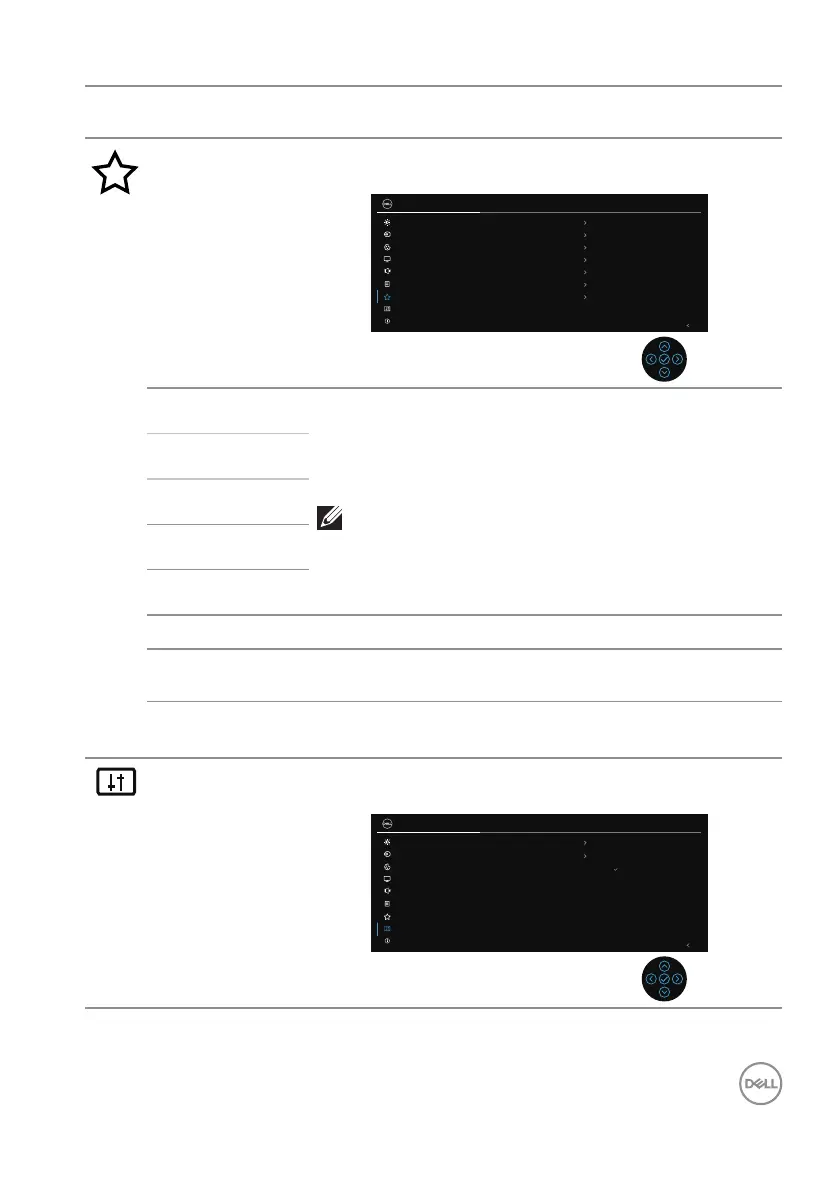
Personalize Selects this option to adjust the settings of the
personalization.
27 Monitor
Exit
Shortcut Key 1 Input Source
Color Presets
Brightness/Contrast
Volume
Audio Proles
On in On Mode
Shortcut Key 2
Shortcut Key 3
Shortcut Key 4
Shortcut Key 5
Power Button LED
Reset Personalization
OnDirect Key
Brightness/Contrast
Input Source
Color
Display
Audio
Menu
Personalize
Others
More Information
Shortcut Key 1
Allows you to choose a feature from Color Presets,
Brightness/Contrast, Input Source, Aspect Ratio,
Rotation, Volume, Display Info, or Audio Profiles and
set it as a shortcut key.
NOTE: To reduce to 4 Shortcut Keys, go to
Shortcut Key 5, and select ‘-’.
Once ‘-’ in Shortcut Key 5 is selected, the ‘-’
in Shortcut Key 4 will appear.
Shortcut Key 2
Shortcut Key 3
Shortcut Key 4
Shortcut Key 5
Direct Key Turn on or off Direct Key function..
Power Button
LED
Enables you to set the state of the power light to save
energy.
Reset
Personalization
Resets all settings under the Personalize menu to the
factory preset values.
Others Changes the OSD settings, such as the DDC/CI, LCD
conditioning and so on.
27 Monitor
Exit
On
O
DDC/CI
LCD Conditioning
ENERGY STAR
®
Reset Others
Factory Reset
Self-Diagnostic
Select
Brightness/Contrast
Input Source
Color
Display
Audio
Menu
Personalize
Others
More Information



 To Next Page