98 Using Your Projector
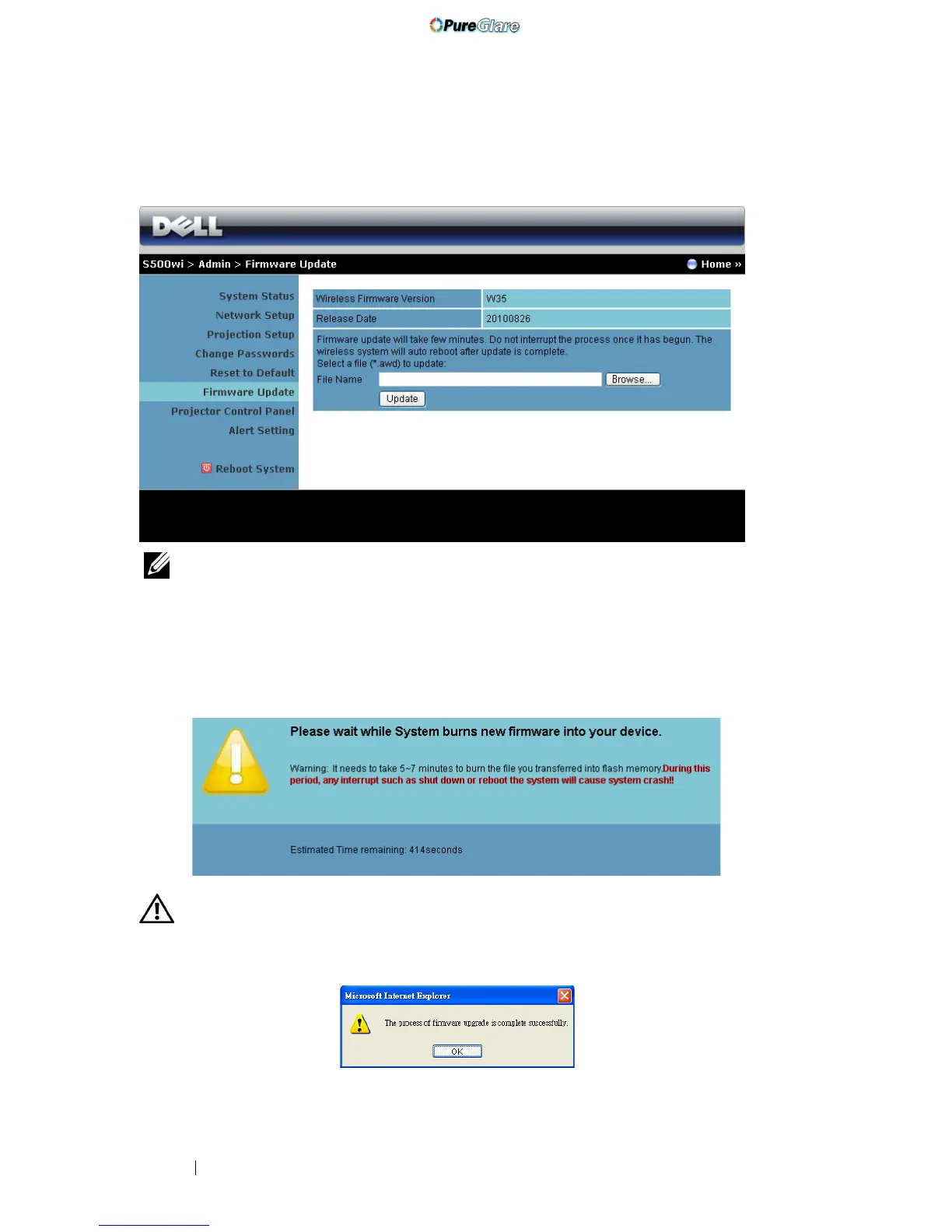
Firmware Update
Use the Firmware Update page to update your projector’s wireless firmware.
NOTE: Please disable and enable wireless/network using the OSD to restart
the network card for the projector after firmware upgrade is successful.
To start firmware update, follow these steps:
1 Press Browse to select the file to update.
2 Click the Update button to start. Wait while the system updates the
firmware in your device.
CAUTION: Do not interrupt the update process and this may cause the system
to crash!
3 Click OK when the update is complete.
http://www.pureglare.com.au



 To Next Page