Using Your Projector 99
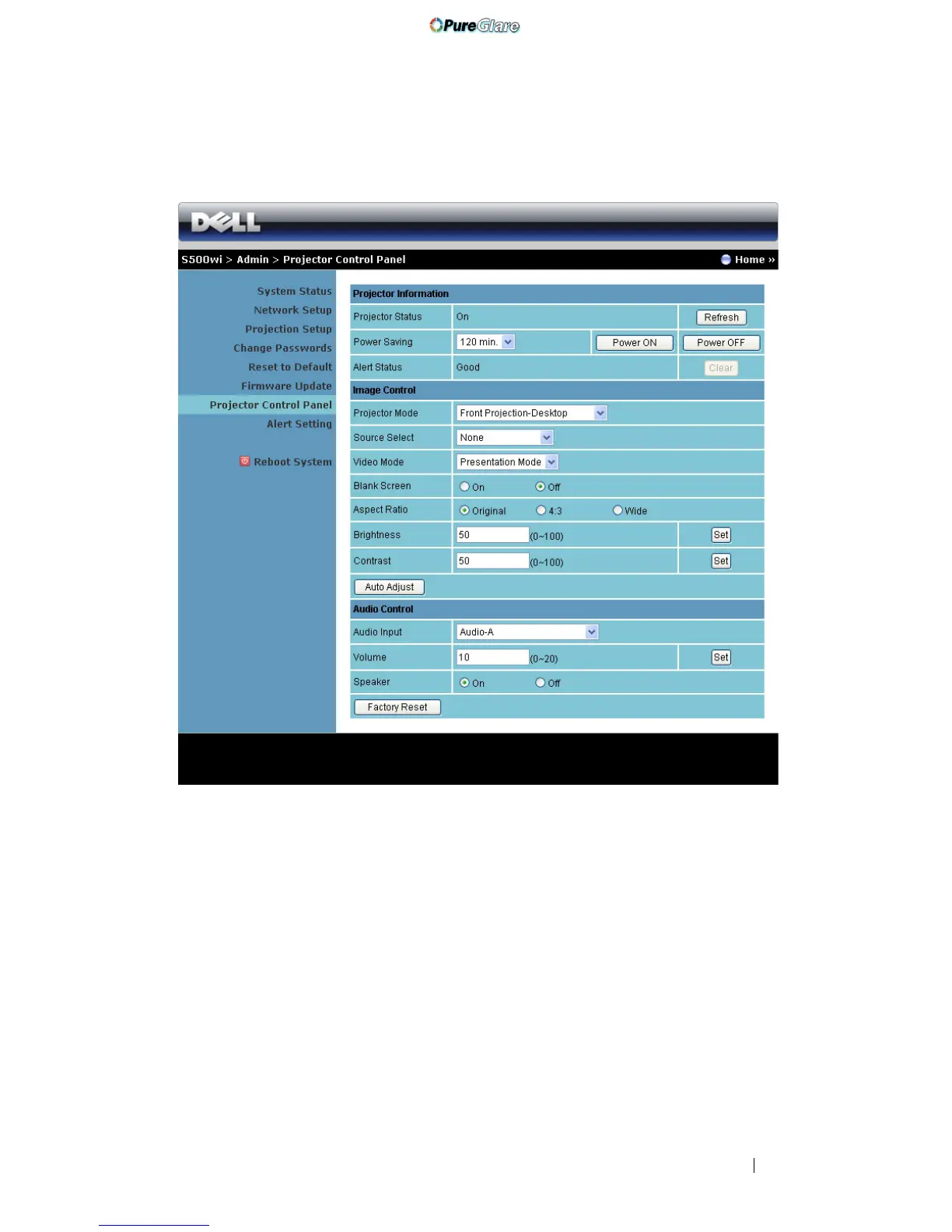
Projector Control Panel
Projector Information
• Projector Status: There are five status: Lamp On, Standby, Power Saving,
Cooling, and Warming up. Click the Refresh button to refresh the status
and control settings.
• Power Saving: Power Saving can be set to Off, 30, 60, 90, or 120 minutes. For
more information, see "Power Saving" on page 68.
• Alert Status: There are three alert states: Lamp warning, Low lamp life, and
Temperature warning. Your projector might lock up in protection mode if
any of the alerts are activated. To exit the protection mode, click the Clear
button to clear the Alert Status before you power on your projector.
http://www.pureglare.com.au



 To Next Page