66 │ Operating the monitor
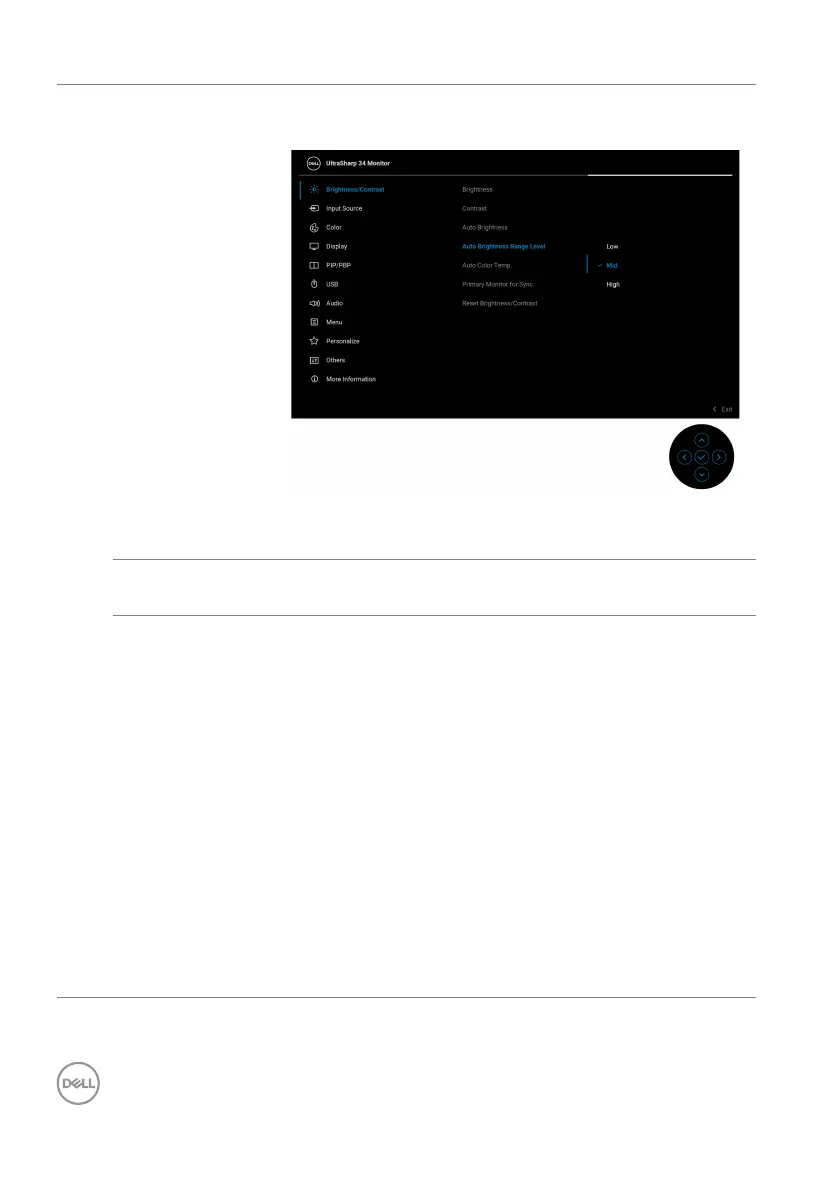
Auto
Brightness
Range Level
Allows you to adjust the auto brightness range level
when Auto Brightness is turned on.
NOTE: The function is disabled when Auto
Brightness is set to Off.
Auto Color
Te
mp.
Adjusts the monitor RGB color settings according to the
ambient light.
Primary
Mo
nitor for
Sync
When either Auto Brightness or Auto Color Temp. is
turned on and multiple Dell monitors that support this
function are connected through daisy chain, the
monitors will adjust their brightness or RGB settings
according to the ambient light condition detected by
the primary monitor.
NOTE: The
selected monitor in Dell Display Manager
(DDM) is the primary monitor. To change the primary
monitor, indicate the preferred monitor in DDM. For
more information, see the DDM user guide.
NOTE: W
hen Auto Brightness and Auto Color
Te mp . are both disabled, this function is not available.
NOTE: If th
e primary or secondary monitor breaks off
from the daisy chain connection, it also breaks off from
the monitor sync.












 To Next Page