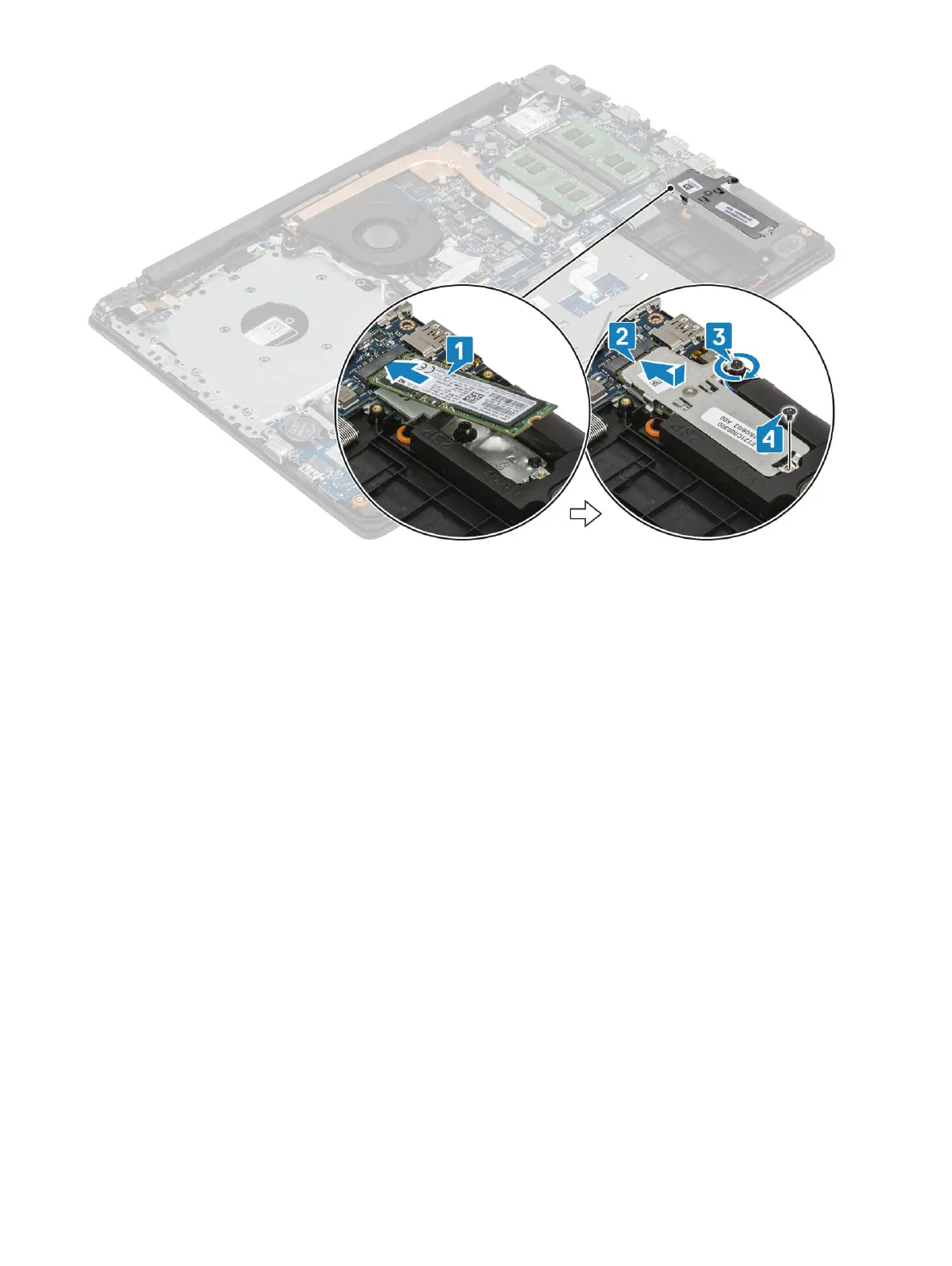
Next steps
1 Install the battery
2 Install the base cover
3 Install the optical drive
4 Install the micro SD card
5 Follow the procedure in after working inside your computer
Removing the M.2 2230 Solid-state drive
Prerequisites
1 Follow the procedure in before working inside your computer
2 Remove the micro SD card
3 Remove the optical drive
4 Remove the base cover
5 Remove the battery
Steps
1 Loosen the captive screw that secures the thermal plate to the palmrest and keyboard assembly [1].
2 Remove the single (M2x3) screw that secures the thermal plate to the palmrest and keyboard assembly [2].
3 Slide and remove the thermal plate from the solid-state drive slot [3].
32
Removing and installing components


 To Next Page