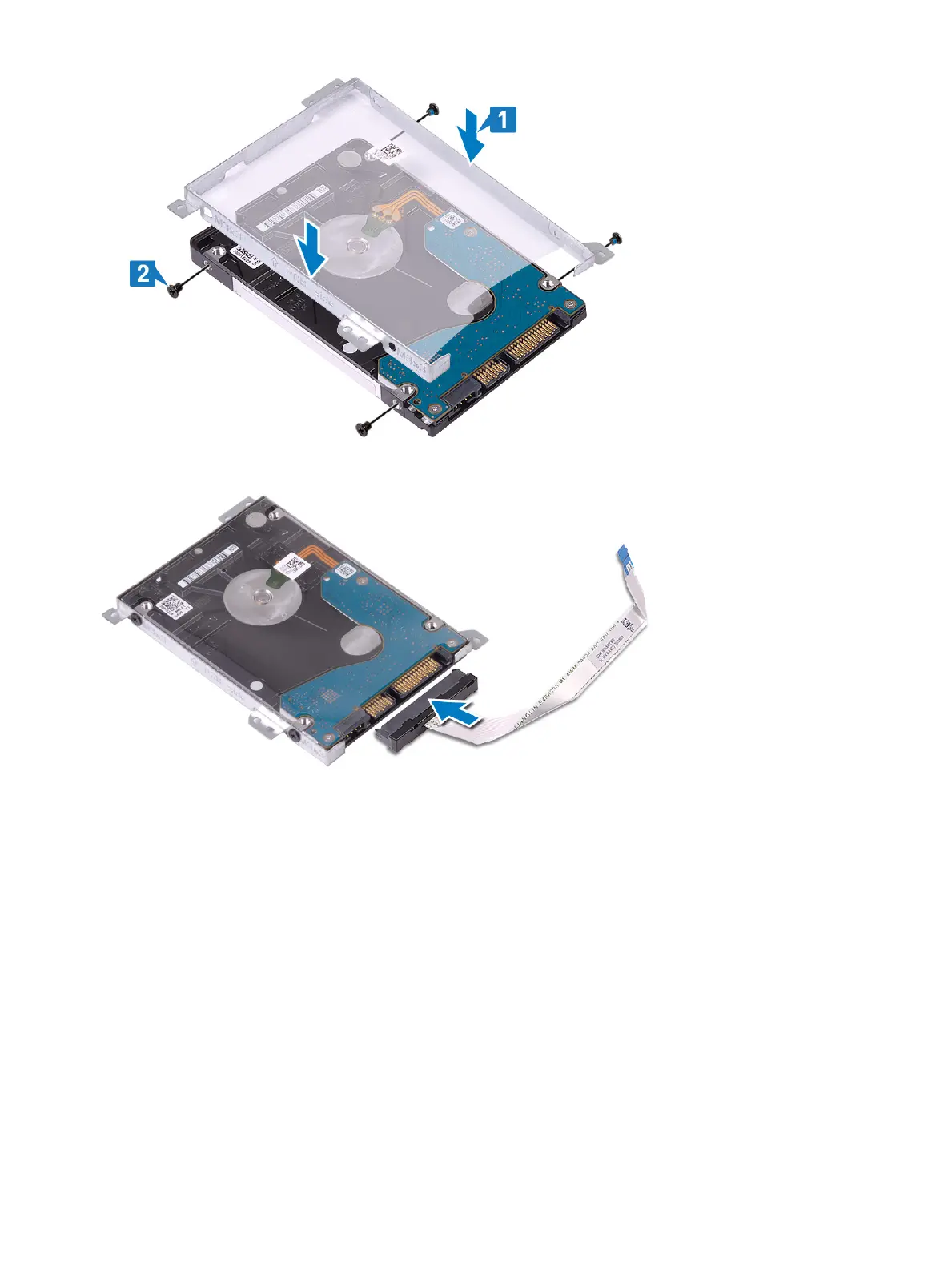
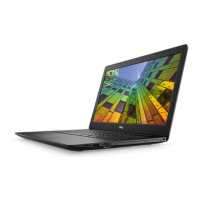
3 Connect the interposer to the hard drive assembly.
Next steps
1 Install the hard drive assembly.
2 Install the battery
3 Install the base cover
4 Install the optical drive
5 Install the micro SD card
6 Follow the procedure in after working inside your computer
System fan
Removing the system fan
Prerequisites
1 Follow the procedure in before working inside your computer
40
Removing and installing components


 To Next Page